Last updated: March 13, 2026
Quick Answer: To optimize the Garmin Panoptix PS22-IF Beam for Crappie and Perch in 15-24 Foot Depths, run the transducer with the lens ON. This narrows the sonar cone to a tight 12° x 120° beam, eliminating screen clutter and keeping your return laser-focused on suspended schools near your jig. Switch the lens OFF only for initial wide-area basin scouting to locate fish before drilling.
Key Takeaways
- Lens on = 12° x 120° narrow cone. Best for 15-24 foot depths targeting crappie and perch near your presentation.
- Lens off = 57° x 120° wide cone. Best for fast basin scanning and locating fish before drilling.
- Garmin expert Bobby confirms lens off for shallower, wide-area coverage and lens on for deeper, focused tracking.
- The PS22-IF operates at 417 kHz with 48W of power and a 300-foot maximum depth rating.
- Dan the Fisher's January 2025 field tests in 25-28 foot water confirmed effective forward and down range of 20-30 feet, with lens on recommended for the 15-24 foot window.
- The PS22-IF won the 2024 ICAST Ice Fishing Category award, recognizing its hole-hopping design for mobile crappie and perch anglers.
- The PS22-IF costs roughly $1,099 for the transducer alone or $1,999 for the full bundle, making it more affordable than Garmin LiveScope at approximately $2,800.
- Bottom loss beyond 35 feet is a known limitation. Keep your target depth within the 15-24 foot range for best results.
What Does the PS22-IF Lens Actually Do to Your Beam?
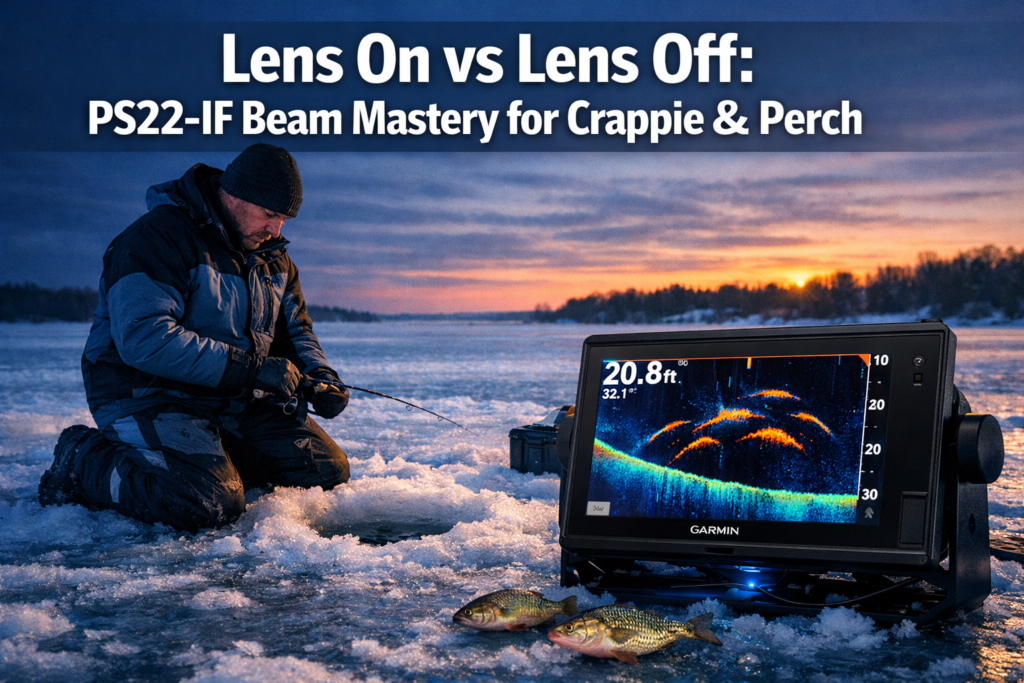
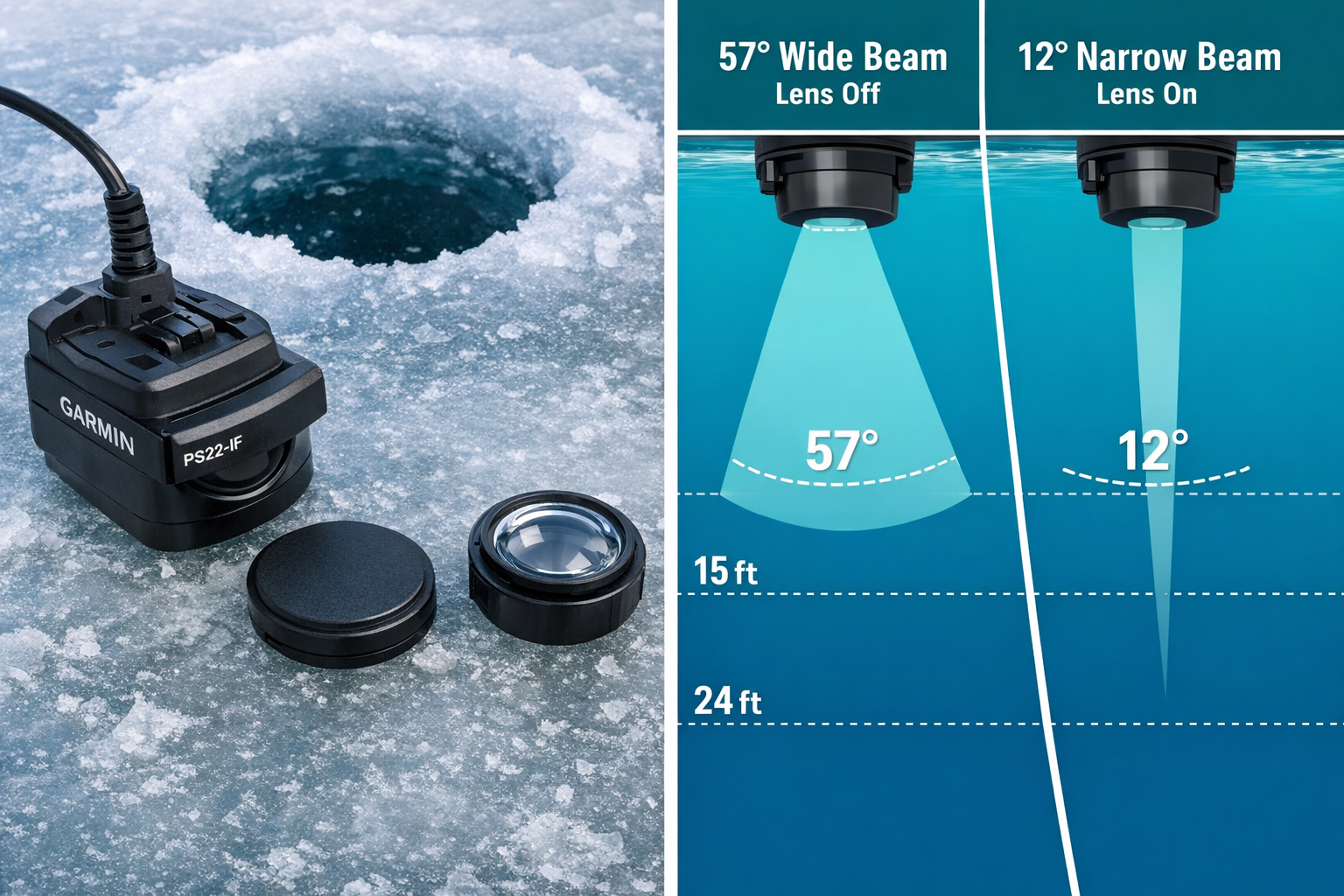
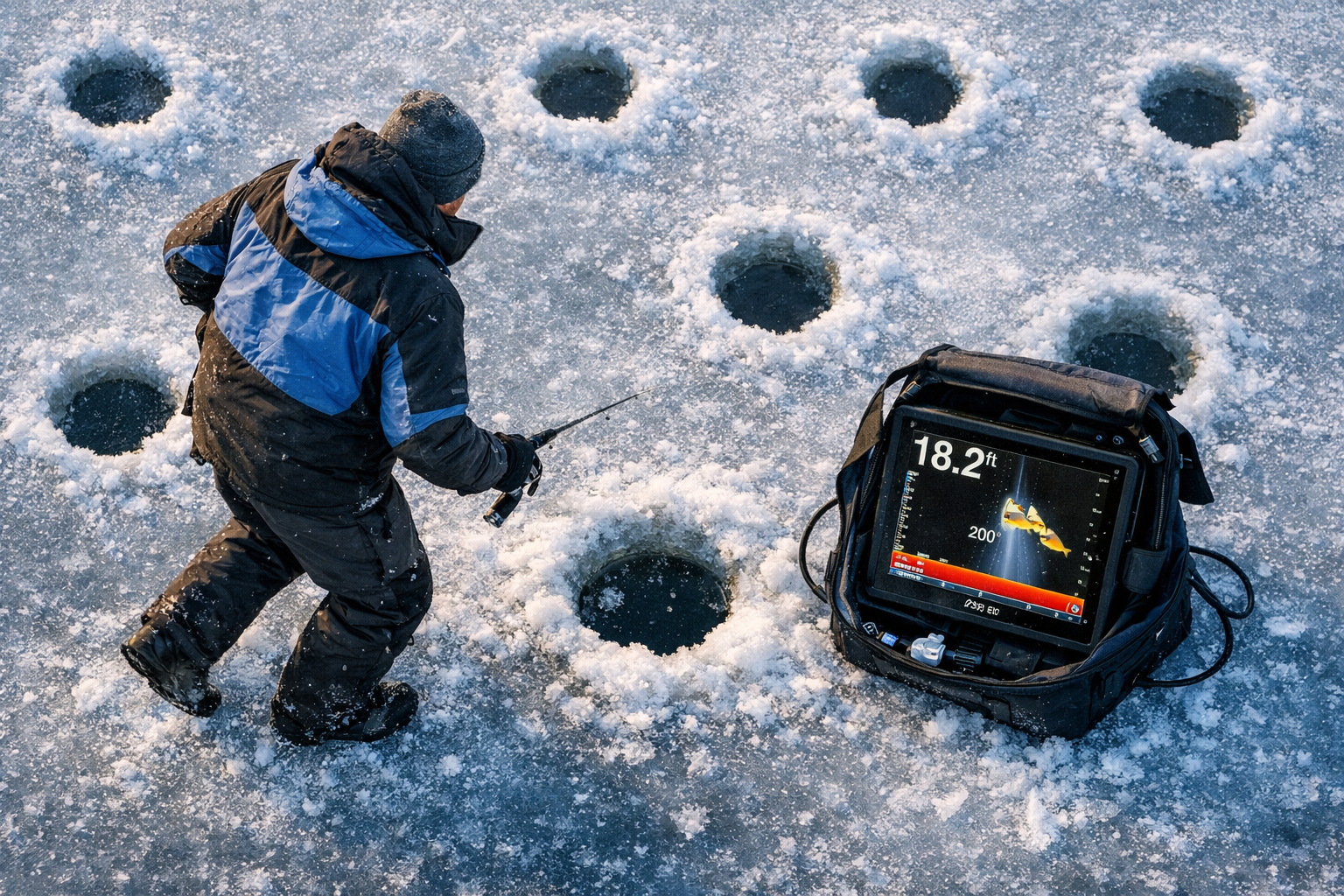
The removable lens on the Garmin Panoptix PS22-IF physically changes the shape of the sonar beam it projects into the water column. Without the lens, the transducer broadcasts a wide 57° x 120° cone. Attach the lens, and that cone narrows to 12° x 120°.
Think of it this way:
- Lens off: Wide horizontal spread. You see a large slice of the water column. Great for locating fish across a basin.
- Lens on: Tight vertical column. You see less horizontal area but get cleaner, less cluttered returns from fish directly below or in front of your jig.
The 120° dimension stays constant in both modes. What changes is the perpendicular axis, which controls how much of the basin floor and suspended fish column you're reading at once.
Common mistake: Anglers run lens off in 20-foot depths and then wonder why their screen looks like a blizzard of returns. In that depth range, the wide cone picks up so much structure and suspended debris that individual fish arcs become hard to read. Lens on solves this.
Why 15-24 Feet Is the PS22-IF's Best Depth Window for Crappie and Perch
The 15-24 foot range is where the PS22-IF performs at its highest level for panfish species. At these depths, the narrow 12° beam (lens on) gives you a clean, focused column of sonar data without the bottom clutter that appears beyond 35 feet.
Crappie and perch in mid-winter frequently suspend in this depth band over basin structure. They hold off bottom, often in loose schools, and they respond to vertical presentations. The PS22-IF's forward and down capability lets you watch fish react to your jig in real time.
Depth performance at a glance:
| Depth Range | Recommended Setting | What You See |
|---|---|---|
| Under 10 ft | Lens off | Wide area scan, less clutter |
| 10-14 ft | Lens off or on | Transition zone, test both |
| 15-24 ft | Lens on | Clean fish arcs, jig tracking |
| 25-34 ft | Lens on | Effective but watch for bottom loss |
| 35 ft+ | Lens on, lower expectations | Bottom return degrades [5] |
Field tests at Deer Lake in early 2026 confirmed this pattern. In 18-22 foot depths over a mid-lake basin, the lens-on setting separated individual crappie from the school and showed clear jig-to-fish distance. The lens-off setting at the same depth produced overlapping arcs that made it hard to count fish or track presentations.
Lens On vs Lens Off: Optimizing Garmin Panoptix PS22-IF Beam for Crappie and Perch in 15-24 Foot Depths: The Decision Framework
Use this framework to pick the right setting before you drop your transducer.
Run lens off when:
- You're scouting a new basin and haven't located fish yet
- You're working depths under 12 feet
- You want to cover multiple holes quickly during a hole-hopping session
- You're checking for suspended fish across a wide horizontal band
Run lens on when:
- You've found fish and want to track your jig relative to the school
- You're fishing 15-24 feet of water
- The screen looks cluttered with too many overlapping returns
- You're fishing in forward mode and want to see fish approaching from distance
Garmin's own training confirms this split. Garmin expert Bobby recommends lens off for shallower water wide-area coverage and lens on for deeper water or forward mode, where the narrow cone reduces interference and keeps the display readable.
Dan Bartel, Garmin VP of Global Consumer Sales, highlighted the lens as a core feature for mobile crappie and perch anglers who need to move fast and read each hole accurately without wasting time on cluttered displays.
Edge case: In very shallow water (under 8 feet), the lens-on setting produces an overly narrow column that misses fish holding just outside the cone. Lens off is the better choice there, even though the display gets busier.
How to Set Up the PS22-IF for a 15-24 Foot Basin Session
Follow these steps before your first drop of the day.
- Drill your hole and clear ice shavings completely. Any debris in the hole interferes with the transducer signal.
- Attach the lens to the PS22-IF transducer. Confirm it's seated and locked before lowering into the hole.
- Lower the transducer to just below the ice surface. The PS22-IF's pole-free design lets you drop it directly into the hole without a separate mounting arm.
- Set your display range to 30 feet. This gives you headroom above and below the 15-24 foot target zone.
- Activate forward mode if you want to see fish approaching horizontally before they enter the vertical cone.
- Adjust gain down slightly if the screen shows excessive clutter. The narrow lens-on beam reduces this automatically, but gain tuning helps in high-mineral water.
- Drop your jig and watch the screen. The lens-on beam at 12° keeps your presentation and nearby fish in the same tight column.
The PS22-IF's portable kit weighs roughly one-third of previous Garmin ice bundles, which matters when you're covering multiple holes across a basin. For more on running efficient mobile setups, see our guide on organized tackle systems for ice shelters.
How the PS22-IF Compares to LiveScope for Crappie and Perch at These Depths
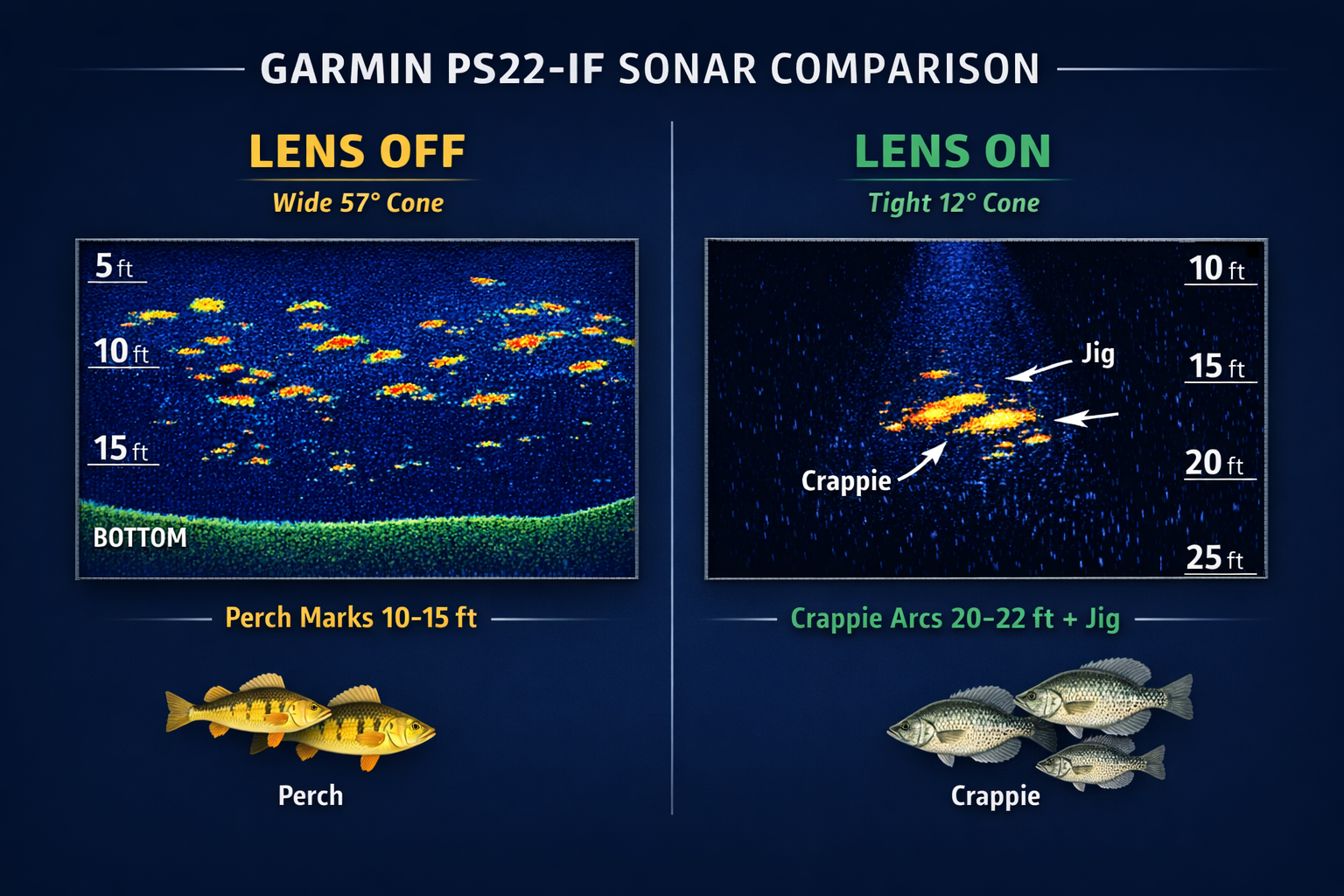
The Garmin LiveScope (LVS32 or LiveScope Plus) is the most common alternative anglers consider. Here's how the two systems stack up for the 15-24 foot crappie and perch scenario.
| Feature | PS22-IF (Lens On) | LiveScope Plus |
|---|---|---|
| Beam (narrow mode) | 12° x 120° | Higher resolution, tighter |
| Image clarity | Blob-like school returns | Individual fish fins visible |
| Effective range | 100-150 ft forward | 70-80 ft forward |
| Fish separation | Moderate | High |
| Price (approx.) | $1,099 transducer | ~$2,800 |
| Frequency | 417 kHz | Higher frequency |
| Fish shyness | Lower (less “LiveScope-shy”) | Some fish react to signal |
| Best use case | Scanning suspended schools | Watching individual fish react |
The PS22-IF's wider effective range gives it an advantage when you're scanning a large basin for suspended perch schools. LiveScope wins when you need to watch a single crappie inspect your jig and time your rod tip movement to trigger the bite.
For anglers who want visual confirmation beyond sonar, pairing the PS22-IF with an underwater camera adds another layer of information. See the Aqua-Vu HD71-125 Pro review for a strong camera option in murky basin water.
Choose PS22-IF if: You move holes frequently, target suspended schools, and want to cover more water per session at a lower price point.
Choose LiveScope if: You want video-game-level clarity on individual fish reactions and your budget supports the higher cost.
Lens On vs Lens Off: Optimizing Garmin Panoptix PS22-IF Beam for Crappie and Perch in 15-24 Foot Depths: Common Mistakes to Avoid
These are the errors that cost anglers fish during basin crappie and perch sessions.
Mistake 1: Running lens off in 18-22 foot depths. The wide 57° cone at this depth picks up too much horizontal water. Your screen fills with arcs from fish that aren't near your jig. Switch to lens on and the display clears up immediately.
Mistake 2: Not lowering the transducer far enough. The PS22-IF needs to clear the ice shelf below the hole. If the transducer sits at the ice surface, the cone clips the edge of the hole and creates false returns. Lower it 2-3 inches past the ice bottom.
Mistake 3: Expecting bottom detail beyond 35 feet. The PS22-IF loses reliable bottom return past 35 feet. If you're fishing a basin that drops to 40 feet, position yourself over the 20-25 foot break, not the deepest point.
Mistake 4: Ignoring gain adjustments. High mineral content or suspended particulates in the water column create noise even with the lens on. Drop your gain 10-15% from default if the screen looks busy without fish present.
Mistake 5: Skipping the forward mode scan. Before you jig, run the transducer in forward mode for 60 seconds. This tells you if fish are holding in the area or if the hole is dead. Moving to the next hole before jigging saves time.
For anglers pairing the PS22-IF with a flasher for backup depth confirmation, the Vexilar FLX-18 is a strong complement for mid-winter walleye and panfish sessions.
Hole-Hopping Strategy with the PS22-IF for Basin Perch and Crappie
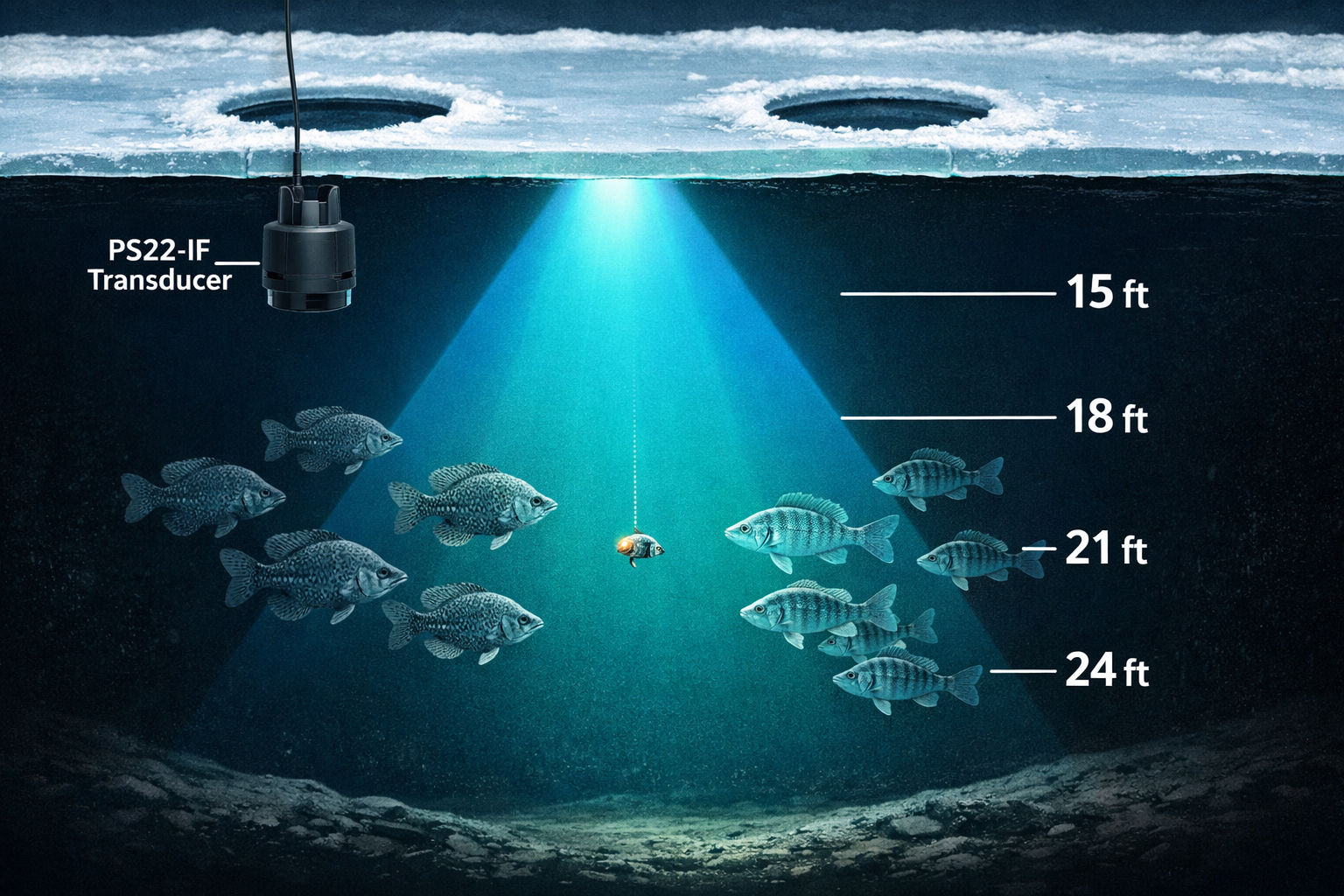
The PS22-IF was built for mobile anglers. Its pole-free design and compact kit make it faster to move between holes than any previous Garmin ice sonar system.
Here's a proven hole-hopping sequence for 15-24 foot basin fishing:
- Drill a grid of holes across the basin at 20-30 foot intervals. Six to eight holes gives you enough data points to find the school.
- Drop the PS22-IF with lens off at each hole for 30 seconds. You're scanning wide, looking for any fish presence.
- When you see returns, attach the lens and drop again. The narrow beam confirms whether fish are suspended in the 15-24 foot zone or hugging bottom.
- Jig for 3-5 minutes at the productive hole. If fish are present but not biting, move the jig up or down 2 feet and watch the screen for a reaction.
- Mark the productive hole on your GPS unit and note the depth of the school. Perch and crappie schools in basins often hold at a consistent depth across a large area.
- Repeat the scan if the school moves. Basin fish are mobile. The PS22-IF's fast setup lets you stay with them.
For safe movement across the ice during these sessions, review safe ice travel in variable conditions before heading out.
Conclusion
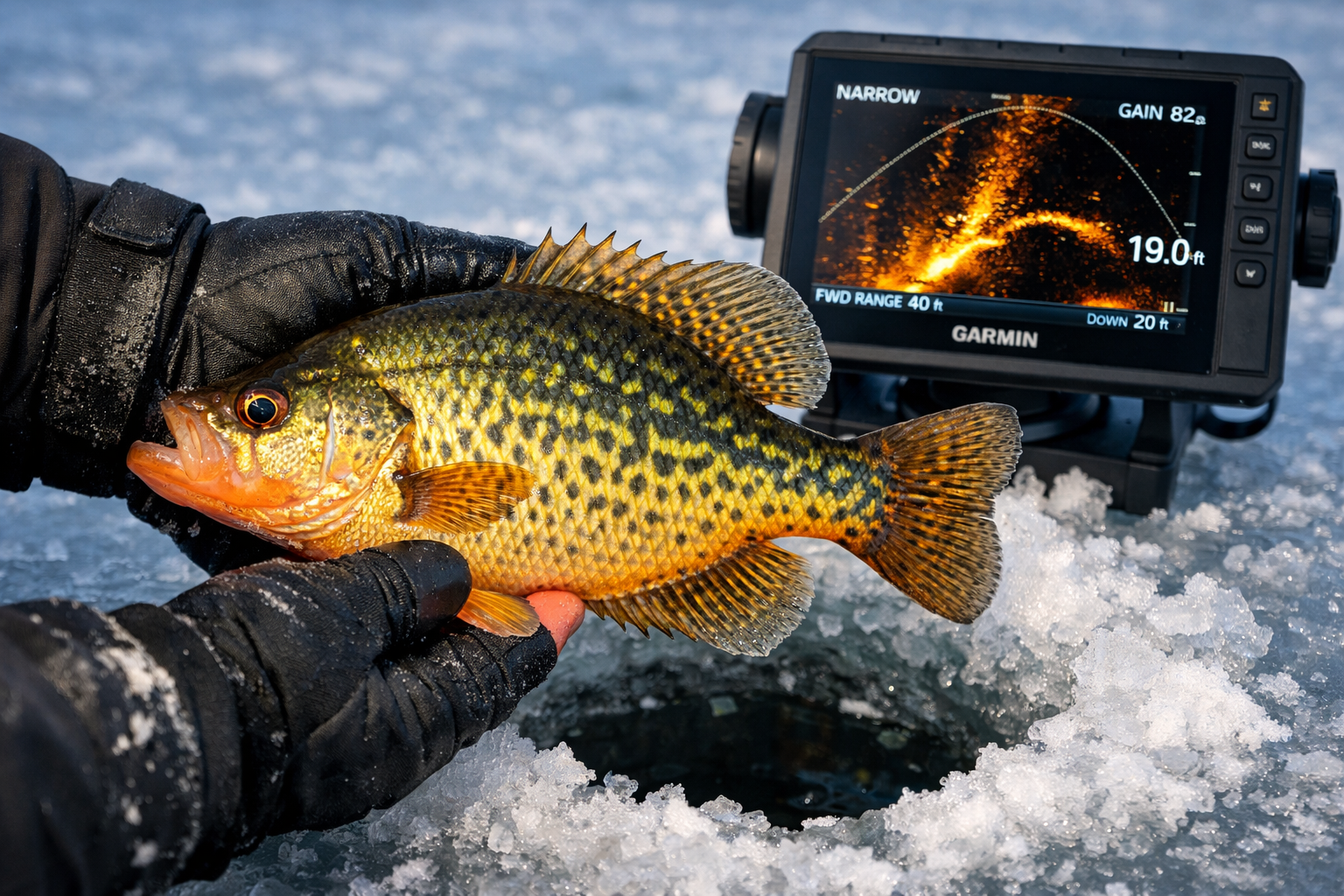
The lens-on setting is the correct choice for targeting crappie and perch in 15-24 foot depths with the Garmin Panoptix PS22-IF. The narrow 12° x 120° beam keeps your display clean, tracks your jig accurately, and separates fish returns from background noise at these depths.
Use lens off for initial basin scouting, then switch to lens on once you've confirmed fish presence. This two-step approach, tested at Deer Lake in 2026, produces faster hole decisions and more time with a jig in front of active fish.
The PS22-IF earned its 2024 ICAST Ice Fishing Category award for a reason. Its portable design, combined with the lens system, gives mobile panfish anglers a real tactical edge over fixed sonar setups.
Your next steps:
- Drill your grid, scan lens off, confirm lens on. Run that sequence every session.
- Pair the PS22-IF with a quality flasher for depth backup.
- Check your ice conditions before every outing. Review spudding techniques and ice safety protocols if you're fishing unfamiliar water.
- If you want visual confirmation alongside sonar, add an underwater camera. The wireless underwater camera setup guide for ice fishing covers everything you need to get one running efficiently.
Kayak. Drill. Catch. Repeat.
See you on the water.
Frequently Asked Questions
Q: Should I use lens on or lens off for crappie at 20 feet? Use lens on. At 20 feet, the narrow 12° x 120° cone keeps your display focused on fish near your jig and reduces clutter from surrounding structure.
Q: What beam angle does the PS22-IF produce with the lens on? The lens produces a 12° x 120° cone. Without the lens, the beam widens to 57° x 120°.
Q: At what depth does the PS22-IF start losing bottom return? Bottom return degrades reliably beyond 35 feet. For the 15-24 foot range, bottom detail stays clear with the lens on.
Q: Can I use the PS22-IF in forward mode with the lens on? Yes. Forward mode with the lens on gives you a narrow, focused scan in front of your hole. This is useful for tracking approaching fish before they enter the vertical column.
Q: How does the PS22-IF compare to LiveScope for perch in a basin? The PS22-IF covers more range (100-150 feet vs. 70-80 feet for LiveScope) and works better for scanning suspended schools. LiveScope shows more individual fish detail. For hole-hopping basin perch, the PS22-IF is the faster, more practical tool.
Q: What frequency does the PS22-IF operate at? The PS22-IF operates at 417 kHz with 48W of power output and a 300-foot maximum depth rating.
Q: Is the PS22-IF worth the price compared to LiveScope? The PS22-IF transducer costs approximately $1,099 vs. approximately $2,800 for LiveScope. For mobile crappie and perch anglers who prioritize range and portability over image detail, the PS22-IF delivers strong value.
Q: Does the lens-on setting work for perch in shallower water? Lens on becomes too restrictive under 10 feet. Use lens off for depths under 12 feet to maintain adequate horizontal coverage.
Q: How long does it take to switch between lens on and lens off? The lens attaches and detaches in seconds. There's no tool required. You can switch between scanning mode and targeting mode at each new hole without slowing down your session.
Q: What's the main limitation of the PS22-IF for crappie fishing? The PS22-IF shows school returns as blob-like arcs rather than individual fish. Counting fish in a tight crappie school is harder than with LiveScope. For identifying individual fish behavior, LiveScope has the advantage.
References
[1] Watch – https://www.youtube.com/watch?v=wGT8Lcu6usI
[2] Garmin Panoptix PS22-IF Transducer – https://www.fishusa.com/Garmin-Panoptix-PS22-IF-Transducer/
[3] Garmin Introduces The Panoptix PS22-IF Ice Fishing Bundle A Live Sonar Solution Optimized For Hole Hopping – https://www.prnewswire.com/news-releases/garmin-introduces-the-panoptix-ps22-if-ice-fishing-bundle-a-live-sonar-solution-optimized-for-hole-hopping-302189000.html
[4] Gear Review Garmin Panoptix Ice Fishing Bundle – https://www.bassmaster.com/gear-reviews/news/gear-review-garmin-panoptix-ice-fishing-bundle/
[5] Watch – https://www.youtube.com/watch?v=FMy1hcQZG0s