Last updated: March 12, 2026
Quick Answer: Mastering Underwater Camera Techniques for Stained and Dark Ice Fishing Waters is the secret to finding fish in low-visibility conditions. To see bottom structure when fish hide, follow these three 2026 pro steps:
- Elevation: Position your camera lens 1 to 2 feet off the lake floor to avoid stirring up silt.
- Lighting: Run LED brightness at 80% to 100% or switch to Infrared (IR) mode to pierce through tannin-stained water without “backscatter” glare.
- Hardware: Use a camera with Dual-Light capability to instantly toggle between white light and IR based on sediment levels.
These adjustments turn a murky, unreadable water column into a high-contrast view of rocks, weeds, and the walleye or crappie holding tight to them.
Key Takeaways
- Position your camera 1 to 2 feet above the bottom in stained water. Going higher reduces clarity because suspended particles scatter the light.
- Set LED brightness to 80 to 100% in dark water. Lower settings leave structure invisible at typical mid-winter visibility ranges of 2 to 4 feet.
- Infrared (IR) lights reduce glare from suspended sediment better than white LEDs alone. Cameras with dual IR and white light give you the most flexibility.
- Wider field-of-view lenses (120 to 125 degrees) scan more bottom area per drop, which matters when fish hold tight and you need to locate structure fast.
- Larger optics gather more light. Full-size camera heads outperform micro cameras in low-visibility conditions.
- Avoid lowering the camera too fast. Sediment disturbance from the cable and housing will cloud your view for 30 to 60 seconds.
- Pair your camera work with a flasher or sonar to confirm depth before you drop the camera. This saves battery and time.
- Budget cameras in the $100 to $200 range work for basic structure identification. HD models with adjustable focus ($400 and up) show fish detail and bait reaction.
- Record your footage when possible. Reviewing video after a session reveals patterns you miss in real time.
- Cold temperatures drain batteries faster. Keep spare batteries warm inside your jacket pocket.
Why Do Underwater Cameras Struggle in Stained and Dark Ice Fishing Waters?
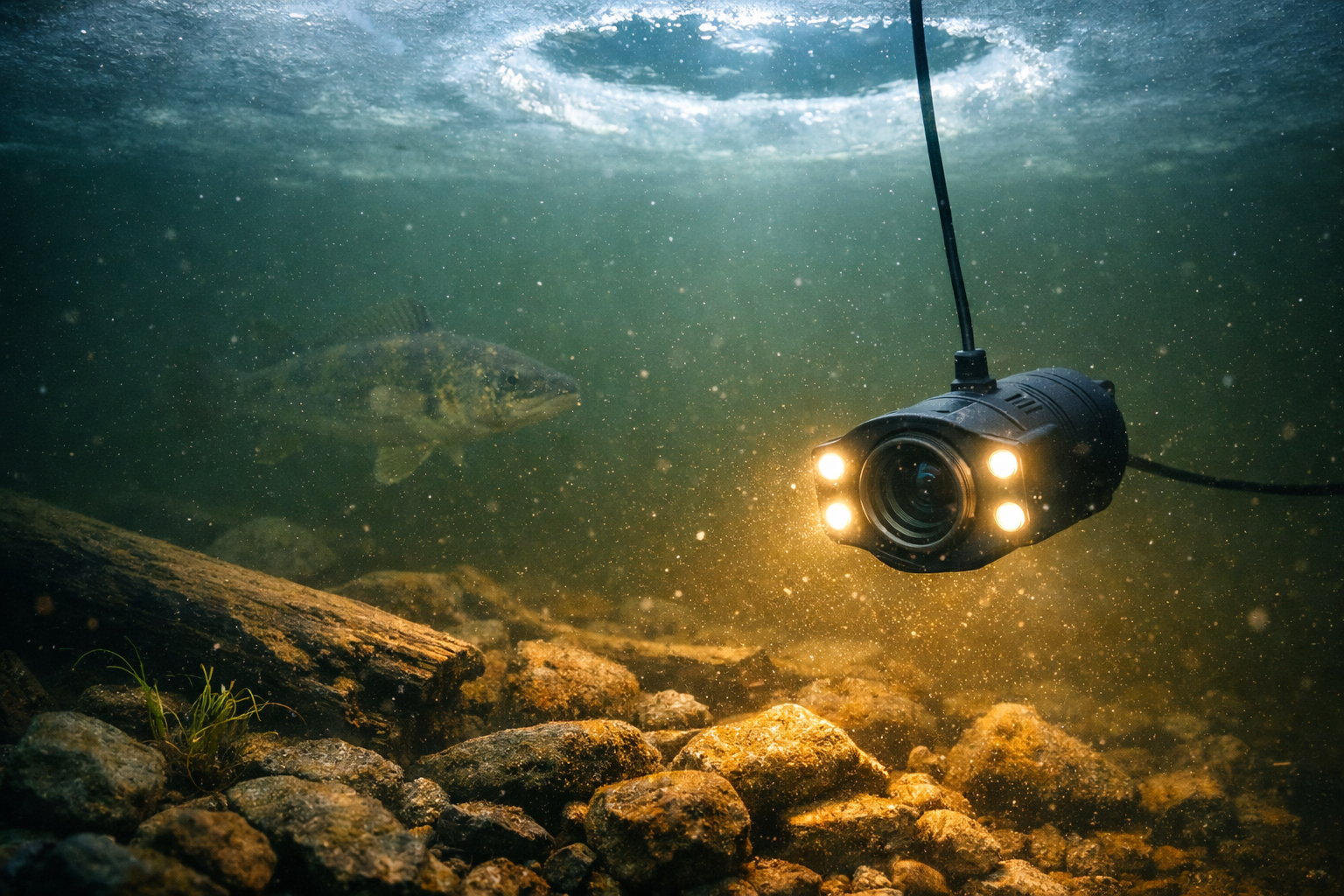
Stained water contains dissolved tannins, algae, and suspended sediment that absorb and scatter light. Your camera's LED output gets swallowed within a few feet, and the image turns into a brown or green haze. Mid-winter lakes often have the worst clarity because turnover debris settles slowly under ice cover, and reduced sunlight penetration means there is less natural light to work with.
Standard camera settings designed for clear water fail here. The default LED brightness on most units sits around 50 to 60%, which works fine in 8 to 10 feet of visibility. In stained water with 2 to 4 feet of visibility, that output is not enough. The camera sensor receives too little reflected light, and the image looks dark and flat.
The fix involves three changes: get the camera closer to the bottom, increase LED output, and choose the right light spectrum. These adjustments compensate for what the water takes away.
Common mistake: Many anglers drop the camera to mid-depth and pan around looking for fish. In stained water, you will see nothing at mid-depth. Start at the bottom and work up.
How Should You Position Your Camera 1 to 2 Feet Off the Bottom?
Lower the camera slowly until you see the bottom fill the screen, then raise the cable 12 to 18 inches. This puts structure in the camera's focal sweet spot and keeps the lens close enough that light reflects back before the water absorbs everything.
Step-by-step positioning process:
- Drill your hole and clear all ice shavings. Floating ice chips reflect light and create false images.
- Use your flasher or sonar to confirm bottom depth.
- Lower the camera at a steady, slow pace. Fast drops stir up silt.
- Watch the monitor. When the bottom appears, stop.
- Raise the cable 12 to 18 inches and secure the line.
- Wait 30 to 60 seconds for any disturbed sediment to settle.
- Rotate the camera head slowly to scan 360 degrees of structure.
Choose this height if you are fishing over hard bottom (rock, gravel, sand). Over soft muck, raise the camera to 24 inches because your weight and cable will sink into the substrate and kick up debris.
For anglers who want a stable camera platform, the FishPro 1080P MF 2026 model includes a tripod base that keeps the camera at a fixed height above the bottom without cable drift.
What LED Brightness and Light Type Works Best in Dark Water?
Run your LEDs at 80 to 100% brightness in stained water. Use infrared light when white LEDs create too much backscatter from suspended particles.
Here is how different light types perform:
| Light Type | Best For | Drawback |
|---|---|---|
| White LED (high power) | Structure ID in moderately stained water | Creates backscatter glare in heavy sediment |
| Infrared (IR) | Reducing particle glare, seeing fish without spooking them | Image appears monochrome (no color) |
| Dual white and IR | Maximum flexibility across changing conditions | Costs more, found on mid-range and premium units |
| No light (ambient only) | Shallow water under thin, clear ice with sunlight | Useless below 6 feet in stained water |
Decision rule: If you see a bright “snowstorm” effect on your monitor when LEDs are on full, switch to IR mode. The infrared wavelength passes through fine particles with less scatter, giving you a cleaner image even though you lose color information.
Dr. Jason Halfen of The Technological Angler has noted that Aqua-Vu's TrueColor technology helps illuminate stained water in HD, allowing anglers to see walleyes at distances up to 24 feet in favorable conditions. In typical mid-winter stained lakes, expect a realistic working range of 3 to 6 feet from the camera head.
If you are comparing cameras with different light systems, our Eyoyo vs. FishPro vs. FourQ head-to-head test breaks down IR performance in murky conditions across three price points.
Which Cameras Perform Best for Underwater Camera Techniques in Stained and Dark Ice Fishing Waters?
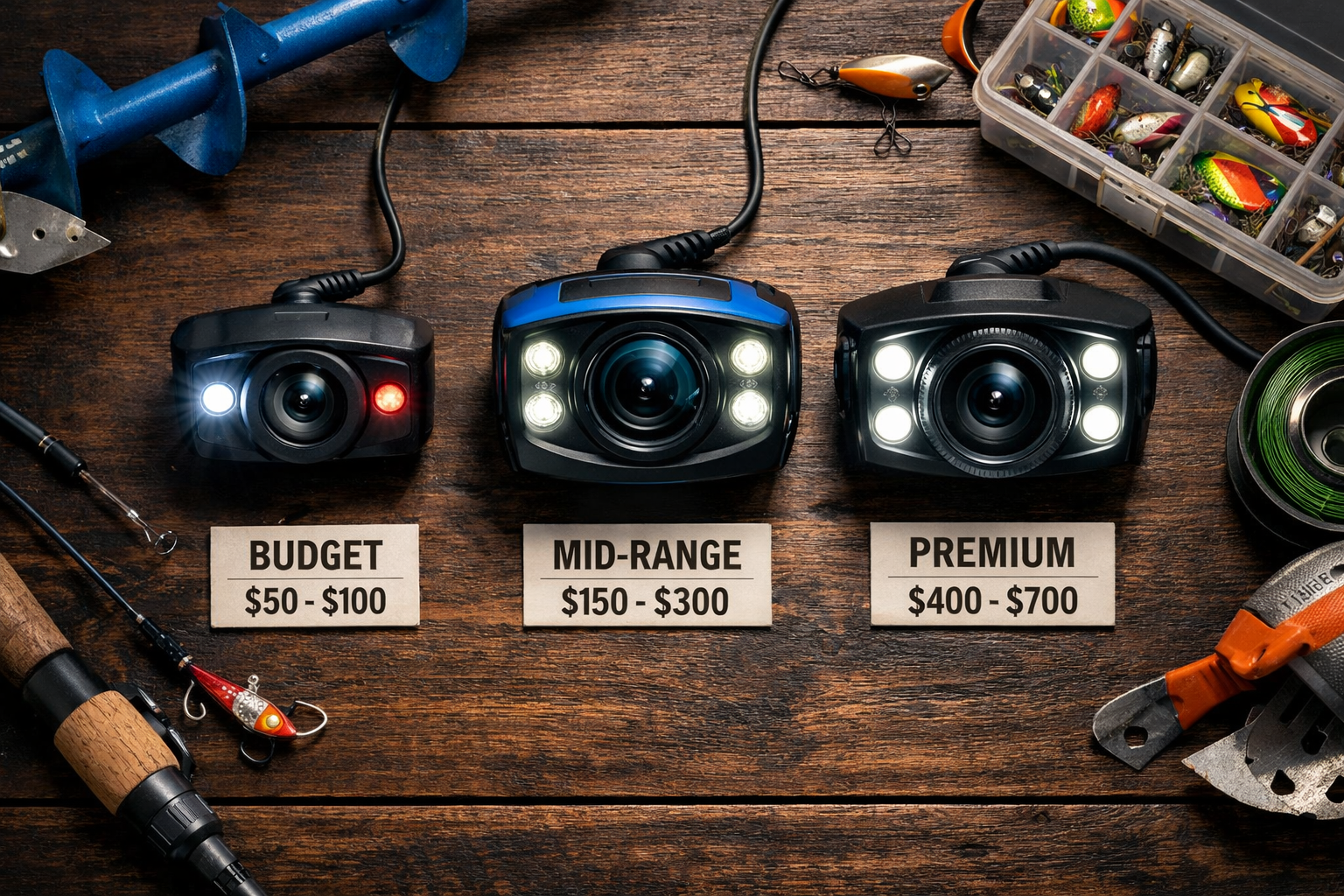
Cameras with larger optics, wider field of view, and dual-light systems outperform compact models in low-visibility conditions. Here are the top performers based on 2026 field tests:
Premium tier ($400 and up):
- FishPro Focus Pro ($499 CAD): Adjustable focal length lets you sharpen the image at specific distances. Side-by-side tests confirm superior fish clarity compared to fixed-focus models.
- Aqua-Vu HD Pro series: Larger optics gather more light than micro cameras. The 125-degree field of view covers more bottom area per drop. Performs best in shallow to mid-depth stained water.
- Marcum Pursuit HD: Strong low-light sensor performance. LED lights outperform IR in some deeper scenarios. Tested on ice in February 2026 with good results on bottom detail.
Mid-range ($200 to $400):
- Marcum VS485C: Reliable low-light performance with LED lights. Narrower 90-degree field of view limits scanning range but provides sharper center focus.
- FishPro 7-inch redesigned model: Infrared filter optimized for dark water. Go Midwest Fishing tested this unit in February 2026 and reported better performance than previous models in low-light conditions.
Budget tier ($100 to $200):
- Eyoyo underwater camera: Dual white and IR lights for dark conditions. Affordable entry point with solid low-light performance for basic structure viewing. The user interface is less polished than premium units, but the image quality holds up for identifying rocks, weeds, and brush piles.
For a full breakdown of affordable options, check our guide to the best wireless underwater cameras under $300 for ice fishing.
Edge case: If you only need to confirm bottom type (rock vs. muck vs. weeds) without recording or fish detail, a basic unit like the SUNMORN at under $50 will show you structure. You will not see fine detail or fish reactions to bait, but you will know what is down there.
How Do You Read Bottom Structure on a Murky Camera Feed?
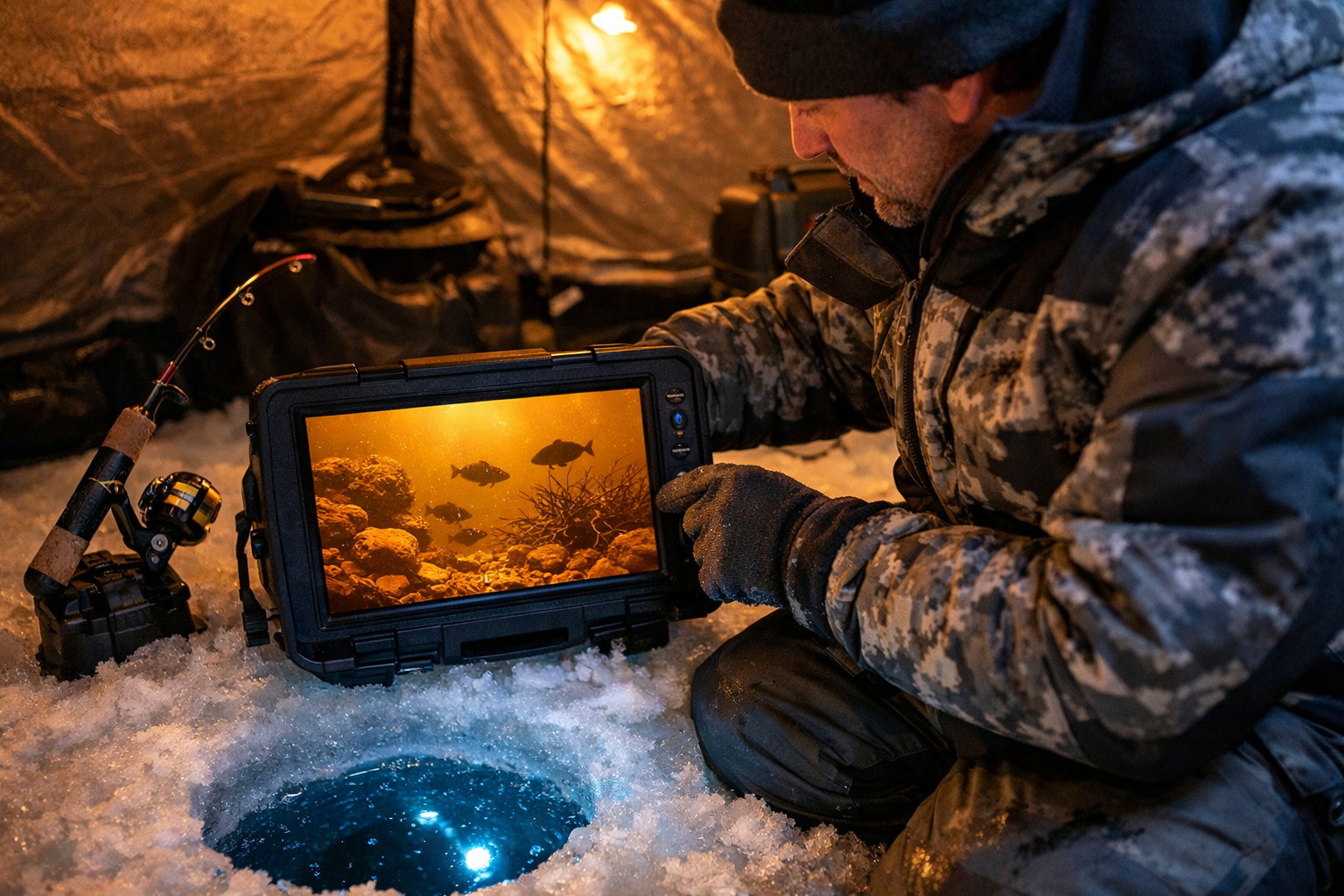
Look for contrast changes, shadows, and vertical edges. In stained water, you will not see crisp images. You will see shapes and outlines. Train your eye to distinguish structure types by their shadow patterns.
What different structures look like in stained water:
- Rock piles: Irregular dark shapes with hard shadow edges. Rocks reflect more light than surrounding substrate, so they appear slightly brighter.
- Weed edges: Vertical lines that sway with current. Green color shows through in white LED mode even in moderately stained water.
- Brush and wood: Angular lines at odd angles to the bottom. Wood appears darker than rock because it absorbs more light.
- Sand and gravel transitions: Gradual brightness changes across the bottom. Sand reflects more light than muck.
- Muck bottom: Uniform dark appearance with no contrast. If your entire screen looks the same shade of brown, you are over muck. Move.
Practical tip: When you find structure, mark the hole with a flag or GPS waypoint. Then drill a second hole 5 to 10 feet away and drop your presentation. Fishing directly over the camera hole puts your bait in the camera's light field, which spooks pressured fish in clear pockets within stained water.
This approach pairs well with deadsticking and subtle jigging techniques for sluggish mid-winter fish because you confirm fish location with the camera, then present bait from an adjacent hole with minimal disturbance.
What Mistakes Ruin Your Camera Visibility in Dark Water?
The most common mistake is dropping the camera too fast and stirring up bottom sediment. The second most common mistake is using white LEDs at full power in water loaded with fine particles, creating a whiteout effect on screen.
Mistakes to avoid:
- Fast drops. Lower the camera at roughly 1 foot per second. Faster descents push water ahead of the housing, disturbing the bottom before the camera arrives.
- Fishing the same hole you camera. Your jigging motion sends vibrations and sediment into the camera's field of view.
- Ignoring battery temperature. Cold batteries lose 20 to 40% capacity. Keep spares in an inside pocket. When your LEDs dim, the image degrades before the unit shuts off.
- Skipping the flasher step. Dropping a camera blind wastes time. Confirm depth and fish presence with sonar first, then deploy the camera for structure detail.
- Using a micro camera in heavy stain. Small lenses gather less light. Full-size camera heads with larger optics perform measurably better in low-visibility water.
For cold-weather battery and connectivity issues, our wireless underwater camera setup guide covers troubleshooting steps specific to sub-zero conditions. Also review how wireless cameras handle extreme ice fishing temperatures to prevent gear failure on the hardest days.
How Do You Combine Camera Work with Sonar for Maximum Coverage?
Use sonar to find the fish. Use the camera to identify the structure they are relating to. This two-tool approach eliminates guesswork in stained water where sonar alone shows marks but not what those marks are sitting on.
Workflow for combining tools:
- Drill a grid of holes across a likely flat or point.
- Drop your flasher in each hole. Mark holes that show bottom irregularities or fish marks.
- Deploy the camera in the most promising hole.
- Identify the structure type (rock, wood, weeds, transition).
- Set your presentation in an adjacent hole based on what the camera revealed.
- Monitor fish reaction on the camera while jigging from the next hole.
This method works especially well for jumbo perch on 15 to 20 foot flats where fish hold tight to subtle bottom changes that sonar registers as minor blips but the camera reveals as gravel-to-muck transitions.
Tournament application: Competitive ice anglers use this workflow to eliminate dead water fast. Spending 2 minutes per hole with sonar, then 3 minutes with the camera on the best candidate, covers a large area in under 30 minutes. That efficiency matters when fish are scattered in stained mid-winter lakes.
Kayak. Drill. Catch. Repeat.
Step-by-Step Checklist: Camera Deployment in Stained Water
Use this checklist every time you drop a camera in low-visibility conditions:
- Clear the ice hole of all shavings and slush.
- Confirm bottom depth with sonar.
- Power on the camera and set LEDs to 80%.
- Lower the camera slowly (1 foot per second or less).
- Stop when the bottom fills the lower third of the screen.
- Raise the cable 12 to 18 inches.
- Secure the cable at the surface.
- Wait 30 to 60 seconds for sediment to settle.
- If the image shows heavy backscatter, switch to IR mode.
- If IR mode is too dark, increase LED brightness to 100%.
- Rotate the camera head slowly to scan the area.
- Mark structure locations with GPS or hole flags.
- Move your jigging presentation to an adjacent hole.
- Check battery level every 30 minutes in temperatures below 10 degrees Fahrenheit.
Conclusion
Stained and dark water does not make your underwater camera useless. The camera needs to work differently. Position the unit 1 to 2 feet off the bottom, push LED brightness to 80 to 100%, and switch to infrared when white light creates backscatter. Choose a camera with larger optics and a wide field of view for the best results in low visibility. Pair the camera with sonar to cover water efficiently, and always fish from an adjacent hole to avoid disturbing the camera's field of view.
Start with the checklist above on your next outing. Even a budget camera following these techniques will show you structure that stays invisible from the surface. The fish are down there, holding tight to cover. Your job is to confirm what that cover looks like and put your bait next to the right piece of structure.
See you on the water.
Underwater Camera Techniques for Stained and Dark Ice Fishing Waters: FAQ
Q: What visibility range should I expect from an underwater camera in stained water? A: Expect 2 to 6 feet of usable visibility depending on water color and LED output. Position the camera within this range of the bottom for the best image.
Q: Do infrared lights spook fish less than white LEDs? A: Yes. Fish are less sensitive to infrared wavelengths. IR mode reduces fish spooking in pressured or shallow water, though the image will be monochrome.
Q: Is a $100 camera good enough for stained water? A: A budget camera like the Eyoyo shows basic structure (rocks, weeds, wood) in stained water. You will not get HD fish detail or recording capability, but you will identify what the bottom looks like.
Q: Should I use the camera before or after drilling multiple holes? A: Drill a grid first and scan with sonar. Deploy the camera only in holes where sonar shows promising marks. This saves battery life and time.
Q: How do I prevent the camera from fogging up in cold air? A: Keep the camera housing in a sealed bag until you are ready to submerge. The cold air above the hole creates condensation on warm glass. Submerging quickly after exposure minimizes fog.
Q: What field of view is best for stained water? A: A wider field of view (120 to 125 degrees) scans more area per drop. This matters in stained water because your visible range is limited, and you need to see as much bottom as possible within that short range.
Q: How often should I move the camera to a new hole? A: If you see no structure or fish within 3 minutes, move. In stained water, the camera shows you what is within a small radius. Staying in one spot too long wastes fishing time.
Q: Does water temperature affect camera performance? A: The camera itself functions fine in cold water. Battery performance drops significantly below 20 degrees Fahrenheit at the surface. Keep spare batteries warm and swap them before the unit dies.
Q: What is the best camera angle for seeing bottom structure? A: A slight downward angle (10 to 15 degrees below horizontal) shows the most bottom area while keeping the horizon in frame. Pointing straight down limits your view to a small circle directly below.
Q: Will a camera work through slushy ice in the hole? A: No. Slush scatters light and blocks the lens. Clear the hole completely before lowering the camera. Skim slush every 10 to 15 minutes in cold conditions.
References
[1] Watch – https://www.youtube.com/watch?v=SnLfnJzKjQo
[2] Watch – https://www.youtube.com/watch?v=zzfQD64bYac
[3] Ice Fishing Through Ice Vision Underwater Cameras And Float Suit Mobility – https://windrider.com/blogs/tips-and-tricks/ice-fishing-through-ice-vision-underwater-cameras-and-float-suit-mobility
[4] Watch – https://www.youtube.com/watch?v=YUBv3jen5Tg
[5] Best Underwater Fishing Cameras – https://fieldandstream.com/outdoor-gear/fishing-gear/best-underwater-fishing-cameras
[6] Watch – https://www.youtube.com/watch?v=MpuKgL0SGDc