Last updated: March 11, 2026
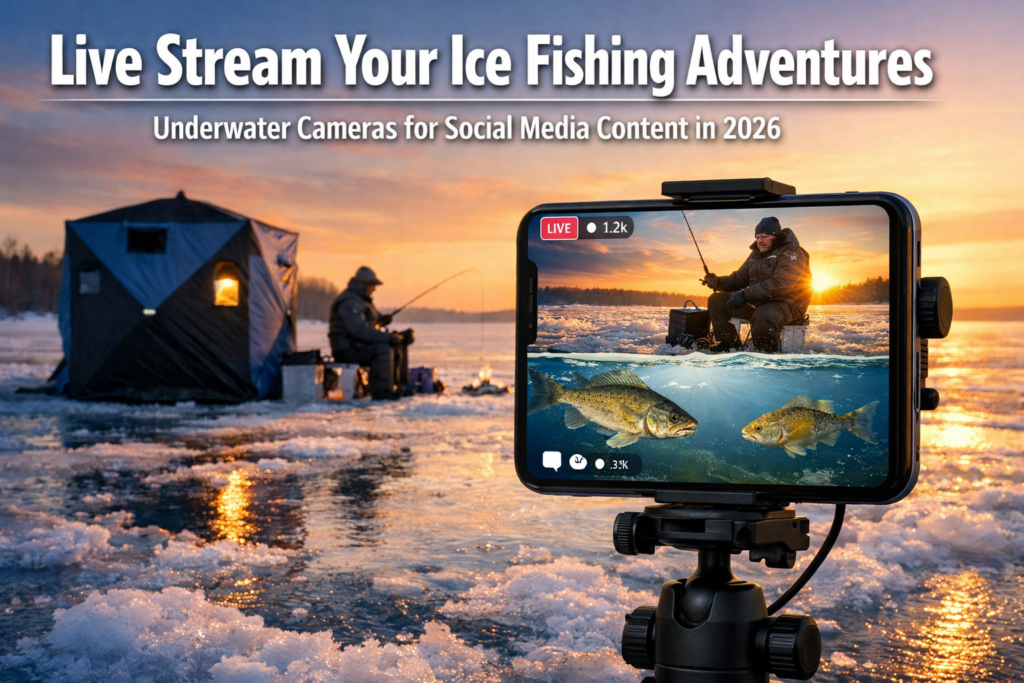
Split-screen footage combining underwater camera feeds with surface action is the fastest-growing content format in ice fishing social media right now. Live streaming your ice fishing adventures using underwater cameras for social media content in 2026 requires three things: a quality sub-ice camera, a reliable way to merge video feeds on your phone, and enough bandwidth to broadcast from a frozen lake. This guide breaks down the gear, the workflow, and the platform strategy to make your streams stand out.
Key Takeaways
- Split-screen content (underwater view plus surface action) outperforms single-angle ice fishing videos on TikTok, YouTube, and Instagram in 2026.
- Budget underwater cameras like the Eyoyo EF09R-15 (under $500) and the FishPRO Focus Pro offer DVR recording and sufficient resolution for live streaming.
- Pair your underwater camera with a sonar unit in murky water. Cameras alone struggle below 100 feet of visibility or in stained conditions.
- Satellite internet hotspots and 5G portable routers have made remote lake streaming reliable in 2026, but always test your signal before going live.
- Platform choice matters: TikTok favors vertical split-screen under 10 minutes, YouTube supports long-form horizontal streams, and Instagram Reels work best for edited highlights.
- Cold temperatures drain batteries fast. Plan for 2x the power capacity you think you need.
- AR overlays and AI fish identification are emerging features expected to reach consumer-level streaming tools by late 2026.
What Gear Do You Need for Live Streaming Your Ice Fishing Adventures Using Underwater Cameras for Social Media Content in 2026?
You need four core components: an underwater camera, a smartphone or tablet, a video mixing app, and a portable internet source. Everything else is optional but helpful.
Underwater Camera Options for 2026:
| Camera | Resolution | Screen Size | DVR | Price Range (2026) | Best For |
|---|---|---|---|---|---|
| FishPRO Focus Pro | 1080P | 7″ | Yes | $200-$350 | Adjustable focal length, sharp fish detail [5] |
| Eyoyo EF09R-15 | 1000TVL | 9″ | Yes | Under $500 | Budget option with large screen [8] |
| Eyoyo 7″ Updated Model | 1000TVL | 7″ | Yes | $150-$250 | Dark water performance [7] |
| Vexilar FS800IR Fish Scout | IR-enhanced | 7″ | Yes | $300-$450 | Murky water with infrared |
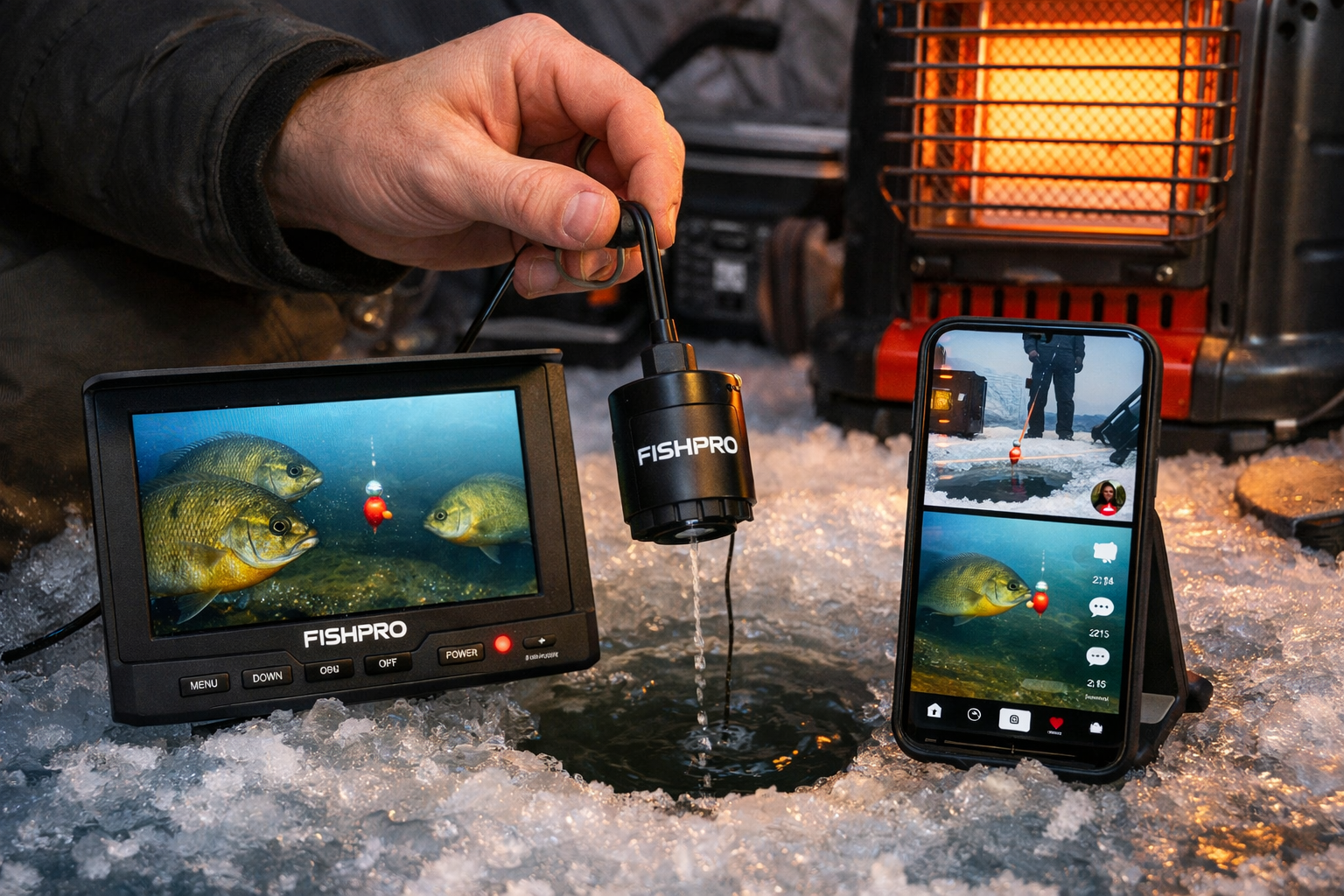
The FishPRO Focus Pro, launched in late 2025, has earned praise from reviewers like Bloodline Adventures for its adjustable focal length. This feature lets you sharpen the image on fish at varying distances, which translates to better on-screen content [5]. For a detailed breakdown of this model, check out the FishPRO 1080P MF 2026 review.
If you fish murky water, the Vexilar FS800IR Fish Scout uses infrared LEDs to produce usable footage where standard cameras fail. For a comparison of top IR cameras, see the Eyoyo vs FishPro vs FourQ head-to-head test.
Common mistake: Buying a camera with no video output option. For live streaming, you need a camera that either has HDMI/AV output to a capture card or built-in WiFi to mirror its feed to your phone. Most budget cameras use AV output. Grab a portable AV-to-USB capture dongle (under $30) to pipe the feed into your phone or laptop.
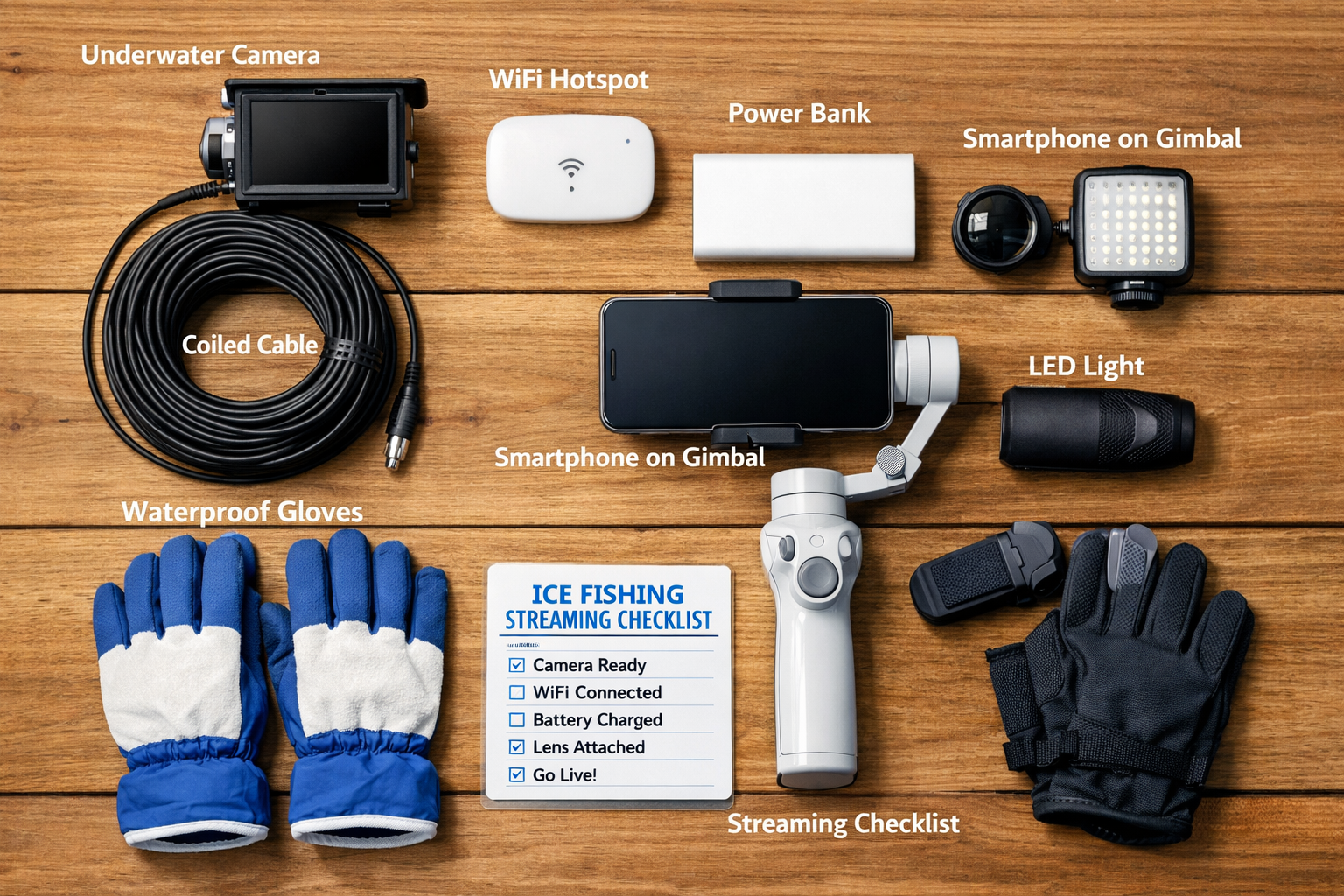
Supporting Gear Checklist:
- Smartphone with split-screen streaming app (Streamlabs, Prism Live, or OBS on laptop)
- Portable capture card or WiFi camera adapter
- 5G hotspot or satellite internet device (Starlink Mini, T-Mobile 5G hotspot)
- Power bank rated for cold weather (minimum 20,000mAh, lithium iron phosphate preferred)
- Phone mount or small tripod
- Clip-on lavalier microphone for narration
- Cold-rated gloves with touchscreen fingertips for operating your phone
How Do You Create Split-Screen Content That Combines Underwater and Surface Footage?
Set up two video sources: your underwater camera feed and your phone's front or rear camera. Then merge them in real time using a streaming app or record both feeds separately for post-production editing.
Live Split-Screen Method (Real-Time):
- Lower your underwater camera into the hole and confirm the feed on its monitor.
- Connect the camera's AV output to a capture card plugged into your phone or tablet.
- Open a multi-source streaming app (Streamlabs Mobile supports picture-in-picture on most 2026 devices).
- Set the capture card feed as Source 1 (underwater view).
- Set your phone's front camera as Source 2 (your face and surface action).
- Arrange the layout. Vertical 50/50 split works best for TikTok. Horizontal with a smaller picture-in-picture window suits YouTube.
- Connect to your hotspot and go live.
Post-Production Method (Higher Quality):
Record the underwater camera's DVR footage on its built-in SD card. Simultaneously record surface action on your phone. Sync the clips in a mobile editor like CapCut or LumaFusion using the audio waveform as your alignment reference. This approach gives you full control over framing, color correction, and transitions.
Choose the live method if you want real-time audience interaction and the thrill of unscripted catches. Choose post-production if you want polished content with tighter edits and better color grading.
Edge case: If your camera lacks AV output and DVR, you'll need to physically point your phone camera at the underwater camera's monitor. This works in a pinch, but screen glare and low resolution make the footage look amateur. Invest in a camera with at least DVR recording.
Which Platforms Work Best for Ice Fishing Live Streams in 2026?
TikTok, YouTube, and Instagram each reward different content formats. Your platform choice should match your content style and audience goals.
TikTok: Vertical split-screen clips between 60 seconds and 10 minutes perform strongest. The algorithm favors watch-time percentage, so front-load the action. Show the fish approaching your jig in the first 3 seconds. TikTok Live requires 1,000 followers to activate.
YouTube: Long-form horizontal streams (30 minutes to 2 hours) build dedicated audiences. YouTube's live chat creates community engagement. Multi-angle setups with underwater, surface, and even drone footage are gaining traction in ice fishing live competitions. YouTube also indexes live stream replays for search, giving your content long-term visibility.
Instagram Reels: Best for edited highlight clips under 90 seconds. Pull the best moments from your stream or recording session. Instagram's algorithm in 2026 favors Reels with text overlays and captions, so add species identification labels and depth readings to your underwater footage.
Platform comparison for ice fishing content:
| Factor | TikTok | YouTube | |
|---|---|---|---|
| Best format | Vertical split-screen | Horizontal long-form | Short edited Reels |
| Ideal length | 60s to 10min | 30min to 2hr | 30s to 90s |
| Live streaming | Yes (1K followers) | Yes (50 subscribers) | Yes (limited features) |
| Audience growth speed | Fastest | Moderate | Moderate |
| Monetization | Creator Fund, gifts | Ads, memberships, Super Chat | Bonuses, brand deals |
| Content lifespan | 24-72 hours peak | Months to years (search) | 48 hours peak |
Social media has reshaped professional fishing. Anglers who share their techniques, including underwater jigging footage, build audiences that attract sponsors and tournament invitations. The visual learning component of underwater camera streams is particularly valuable. Viewers watch your jigging cadence, see how fish react, and learn in real time. For more on jigging strategies worth showcasing, read about deadsticking and subtle jigging techniques for mid-winter walleye.
How Do You Handle Connectivity and Power on a Frozen Lake?
Test your internet connection at your fishing spot before committing to a live stream. A minimum upload speed of 5 Mbps keeps your stream stable at 720p resolution.
Connectivity options ranked by reliability in 2026:
- Satellite internet (Starlink Mini or similar): Works anywhere with open sky. Latency has improved in 2026, and portable units draw around 40-75W. Best for remote lakes with zero cell coverage [4].
- 5G portable hotspot: Fastest speeds where towers exist. Check coverage maps for your lake before the trip.
- Phone tethering on 4G/LTE: Backup option. Sufficient for 480p-720p streaming but inconsistent in rural areas.
Power management in extreme cold:
Cold temperatures are the biggest threat to your streaming setup. Lithium-ion batteries lose 20-40% capacity below 20°F. Keep all batteries inside your shelter or in insulated pouches close to your body. For guidance on how cameras specifically handle freezing conditions, see the cold weather performance guide for wireless underwater cameras.
Bring at least two fully charged power banks. Run your phone and capture card from one while keeping the second warm as a backup. If you stream from inside a hub shelter, a small propane heater keeps ambient temperatures above freezing, which helps all electronics perform better. Review the wireless underwater camera setup guide for detailed WiFi range and troubleshooting tips specific to ice conditions.
Common mistake: Running your phone at full screen brightness during a stream. This drains the battery twice as fast. Lower brightness to 40-50% and let the streaming app handle the visual output.
What Makes Underwater Camera Footage Engaging for Viewers?
Viewers tune in to see fish behavior they cannot see from the surface. The most engaging underwater content shows three things: fish approaching a lure, the strike moment, and species identification.
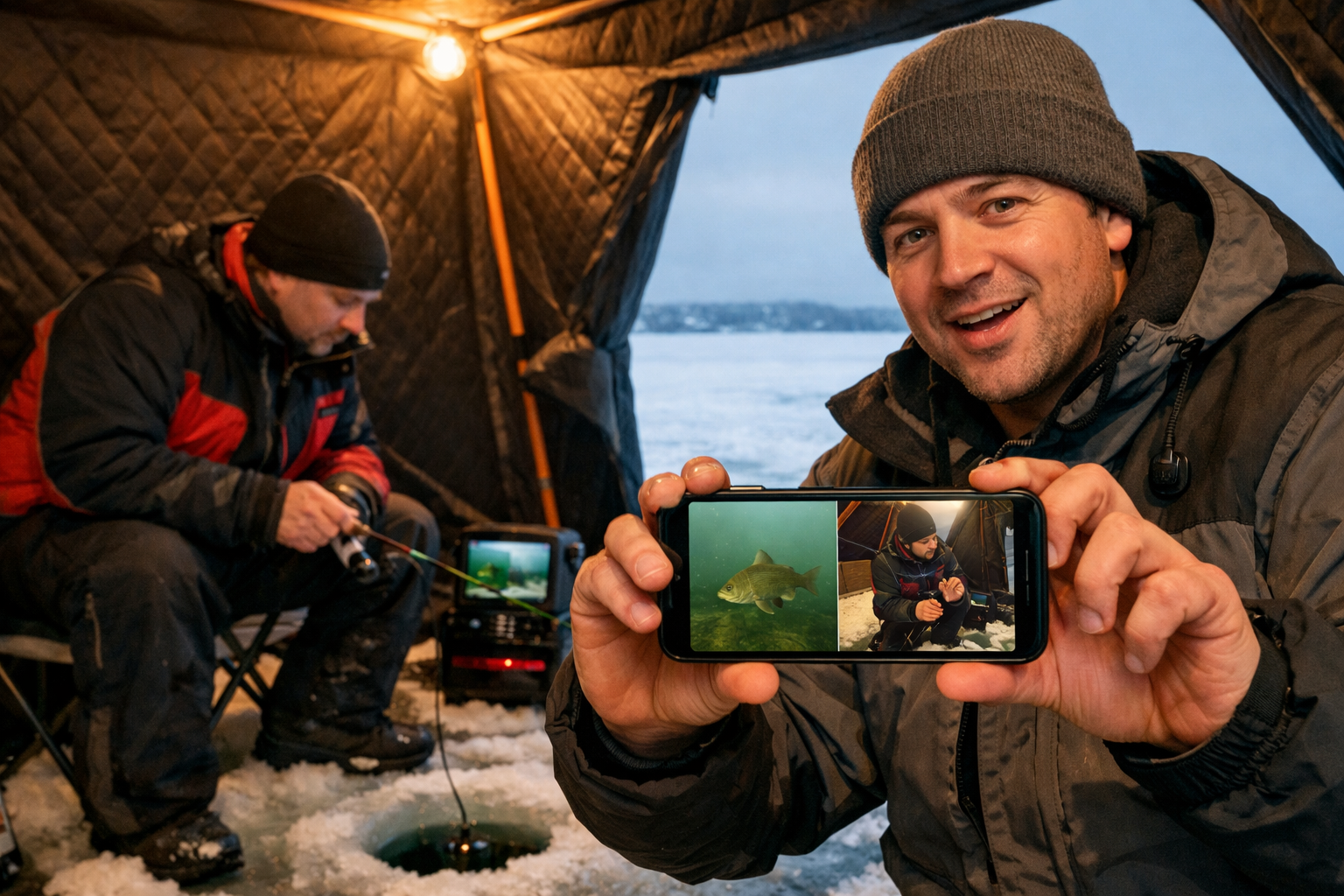
Tips for better underwater footage:
- Position the camera 12 to 18 inches from your jig. Too far and the fish become blurry shapes. Too close and you miss the approach.
- Use the camera's LED lights sparingly. Bright lights spook fish in clear, shallow water. In dark or deep water, low-intensity infrared LEDs produce better footage without scaring your target.
- Narrate what you see. Describe the species, the depth, and your jigging adjustments. This turns passive watching into an educational experience.
- Add on-screen text overlays showing water depth, temperature, and lure type. These details make your content more useful and shareable.
Outdoor experts note that cameras perform best in clear water, producing photorealistic views of fish behavior. In murky conditions, pair your camera with a sonar flasher for a complete picture. Sonar units like the Humminbird Ice Helix provide CHIRP technology for target separation at depths and visibility levels where cameras fail.
Decision rule: If your lake has visibility under 3 feet, lead with sonar and use the camera as a secondary tool. If visibility exceeds 5 feet, the camera becomes your primary content source.
For anglers targeting panfish in shallow, clear water, the visual content is exceptional. Check out strategies for shallow bluegill hotspots under 10 feet to pair with your camera setup.
What Emerging Tech Will Shape Ice Fishing Live Streams by Late 2026?
Augmented reality overlays and AI-powered fish identification are the two technologies closest to consumer readiness for ice fishing streams.
February 2026 industry analysis predicts that AR integration will allow streamers to overlay species names, estimated fish weight, and depth markers directly onto underwater camera feeds in real time. Several prototype apps already tag fish species using image recognition, though accuracy varies by water clarity.
AI-driven fish behavior prediction is another area in active development. These tools analyze underwater camera footage patterns to suggest lure changes and jigging speed adjustments. For live streamers, this creates a new layer of interactive content where viewers watch the AI recommendation and then see the angler execute the change.
VR-compatible ice fishing streams are also in early testing. Using 360-degree underwater cameras, viewers wearing VR headsets experience a fully immersive sub-ice perspective. This technology remains expensive and niche in early 2026, but prices are dropping.
Practical takeaway for 2026: Focus on mastering split-screen streaming now. Add text overlays and narration. When AR tools reach stable consumer release later this year, you will already have the audience and workflow to adopt them quickly.
Conclusion
Live streaming your ice fishing adventures using underwater cameras for social media content in 2026 comes down to preparation. Choose a camera with DVR and video output. Set up a reliable power and internet plan. Pick the right platform for your content style. Then focus on what makes underwater footage valuable: showing fish behavior, explaining your technique, and building a real connection with your audience.
Start with recorded split-screen clips for TikTok and Instagram Reels. Build your following. Then graduate to live streams on YouTube where longer sessions and real-time chat create loyal communities. The gear is more affordable and capable than ever. The audience for this content is growing.
Kayak. Drill. Catch. Repeat. See you on the water.
FAQ
What is the best budget underwater camera for ice fishing live streams in 2026? The Eyoyo EF09R-15 offers 1000TVL resolution and built-in DVR recording for under $500. Reviewers like Return2Wild's Shaun Ridder confirmed solid performance in January 2026 testing, though low-light footage has limitations.
Do I need a special internet setup to live stream from a frozen lake? Yes. Most frozen lakes lack reliable cell coverage. A portable satellite internet device (like Starlink Mini) or a 5G hotspot with confirmed coverage at your location provides the 5+ Mbps upload speed needed for stable streaming.
How do I keep my electronics working in extreme cold? Store batteries and devices inside your shelter or in insulated cases. Lithium iron phosphate power banks handle cold better than standard lithium-ion. Bring at least two fully charged power banks for a 3-4 hour session.
What streaming app supports split-screen with an underwater camera feed? Streamlabs Mobile and Prism Live both support multiple video sources on smartphones. Connect your underwater camera through a portable AV-to-USB capture card to use as a second source alongside your phone camera.
Should I use an underwater camera or sonar for content creation? Use both when possible. Cameras produce engaging visual content in clear water (5+ feet visibility). Sonar covers murky conditions and deeper water where cameras struggle. The camera feeds your audience. The sonar feeds your fishing strategy.
What video format works best for ice fishing content on TikTok? Vertical 50/50 split-screen with underwater footage on the bottom half and surface action on top. Keep clips between 60 seconds and 3 minutes. Show the fish approaching the lure within the first 3 seconds to capture attention.
How much does a complete ice fishing live streaming setup cost in 2026? A functional setup starts around $400 to $600: budget underwater camera ($150-$250), capture card ($25-$30), power bank ($40-$60), phone mount ($15-$25), and lavalier mic ($20-$40). Add $50-$120/month for a portable internet plan.
Will AR overlays work with current underwater cameras? Prototype AR apps process the camera feed through your phone and add overlays in software. You do not need a special AR camera. Stable consumer versions are expected by late 2026.
How long does an underwater camera battery last in freezing temperatures? Most underwater ice fishing cameras run 6 to 8 hours at room temperature. Expect 4 to 5 hours in sub-zero conditions. Keep the monitor warm inside your shelter to extend battery life.
Do I need followers to go live on social media? TikTok requires 1,000 followers for live access. YouTube requires 50 subscribers. Instagram has variable requirements. Build your follower count first by posting edited split-screen clips consistently.
References
[1] Beneath The Ice Real Time Action Big Rewards With – https://www.chrysolite.ca/2026/02/18/beneath-the-ice-real-time-action-big-rewards-with/
[2] See The Fish Catch The Fish Underwater Ice Fishing Cameras – https://midwestoutdoors.com/fishing/see-the-fish-catch-the-fish-underwater-ice-fishing-cameras/
[4] Beneath The Surface Experience The Thrill Of Real – https://otd.asetranspo.org/beneath-the-surface-experience-the-thrill-of-real/
[5] FishPRO Focus Pro 2026 Review – https://www.youtube.com/watch?v=zzfQD64bYac
[6] How Social Media Has Changed Professional Fishing – https://thenationalprofessionalfishingleague.com/2024/12/11/how-social-media-has-changed-professional-fishing/
[7] Eyoyo Updated Underwater Camera Review – https://www.youtube.com/watch?v=KiPx3VUQC08
[8] Eyoyo EF09R-15 Ice Fishing Camera Review – https://www.youtube.com/watch?v=YUBv3jen5Tg