Last updated: March 10, 2026
Water absorbs WiFi signals within centimeters of the surface. That single fact shapes every decision you make when setting up a wireless underwater camera for ice fishing. This wireless underwater camera setup guide for ice fishing covers WiFi connectivity, range, and troubleshooting tips so you spend more time watching fish and less time fighting your gear.
Most “wireless” ice fishing cameras use a wired cable between the submerged camera and a surface unit, then transmit wirelessly from the surface unit to your monitor or phone. Understanding this distinction prevents buying the wrong system and saves hours of frustration on the ice.
Key Takeaways
- True WiFi signals fail underwater because water absorbs 2.4GHz and 5GHz frequencies almost immediately.
- “Wireless” ice fishing cameras typically send video through a cable to a surface transmitter, then broadcast wirelessly to a monitor or phone.
- Wired camera systems with dedicated monitors (like the FishPRO 1080P or Aqua-Vu HD71-125 Pro) deliver the most reliable ice fishing footage.
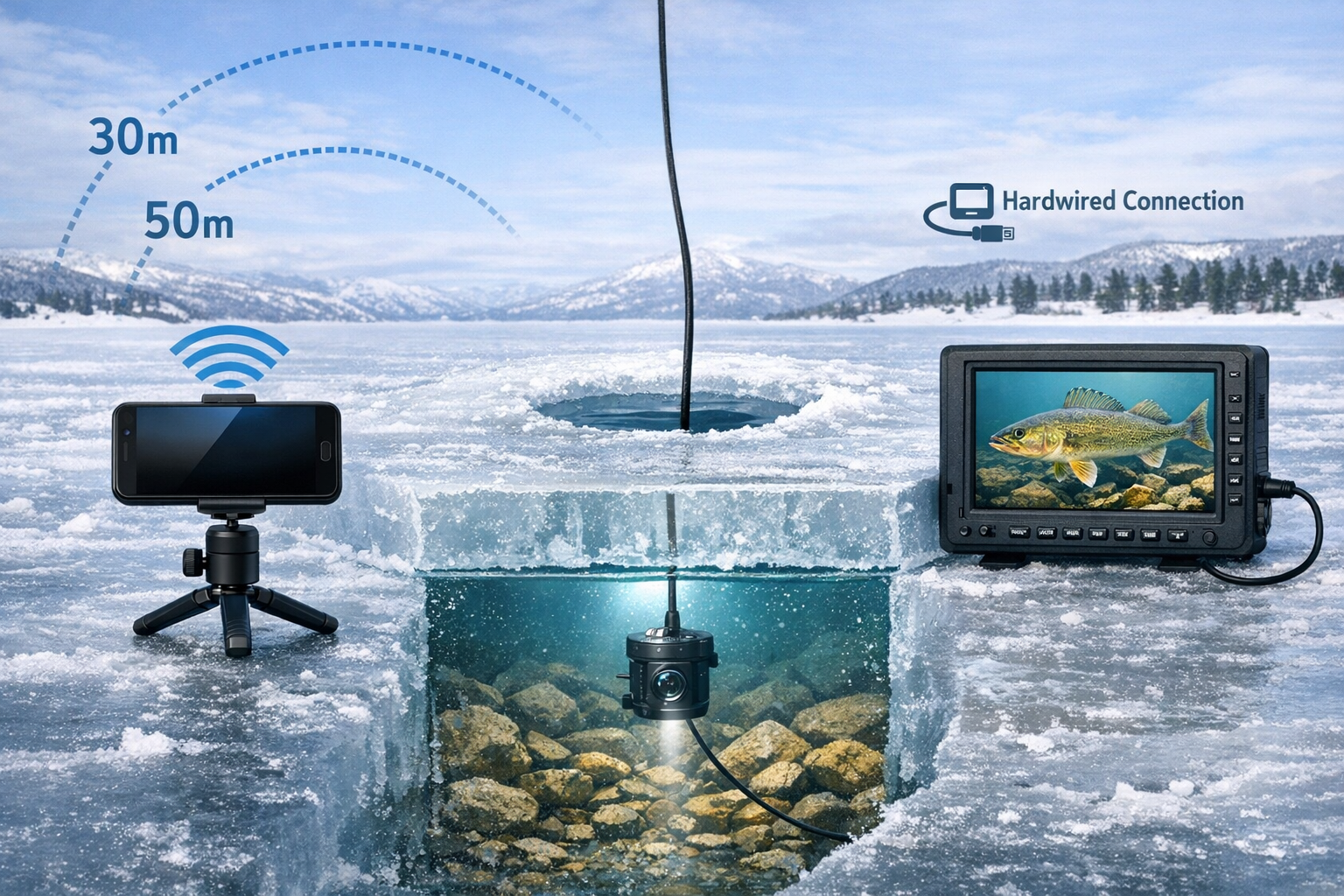
- RF (radio frequency) wireless panning and surface control work well within 30 to 50 meters in open air.
- Battery life, lens fogging, and signal interference from shelters or other electronics cause most on-ice camera problems.
- Budget cameras like the Eyoyo perform well in clear water but lack features found in $300+ models.
- Minnesota DNR legalized non-motorized automatic hook-setting devices for the 2025-26 season, pairing well with camera setups for hands-free monitoring.
Quick Answer
Set up your wireless underwater camera by lowering the wired camera unit through your ice hole, positioning the surface transmitter within line of sight of your monitor, and keeping the wireless receiver within 30 to 50 meters. For the best results, use a dedicated monitor system rather than relying on phone WiFi. Troubleshoot connection drops by reducing distance, removing obstructions, and keeping batteries warm.
How Does WiFi Work with Underwater Ice Fishing Cameras?
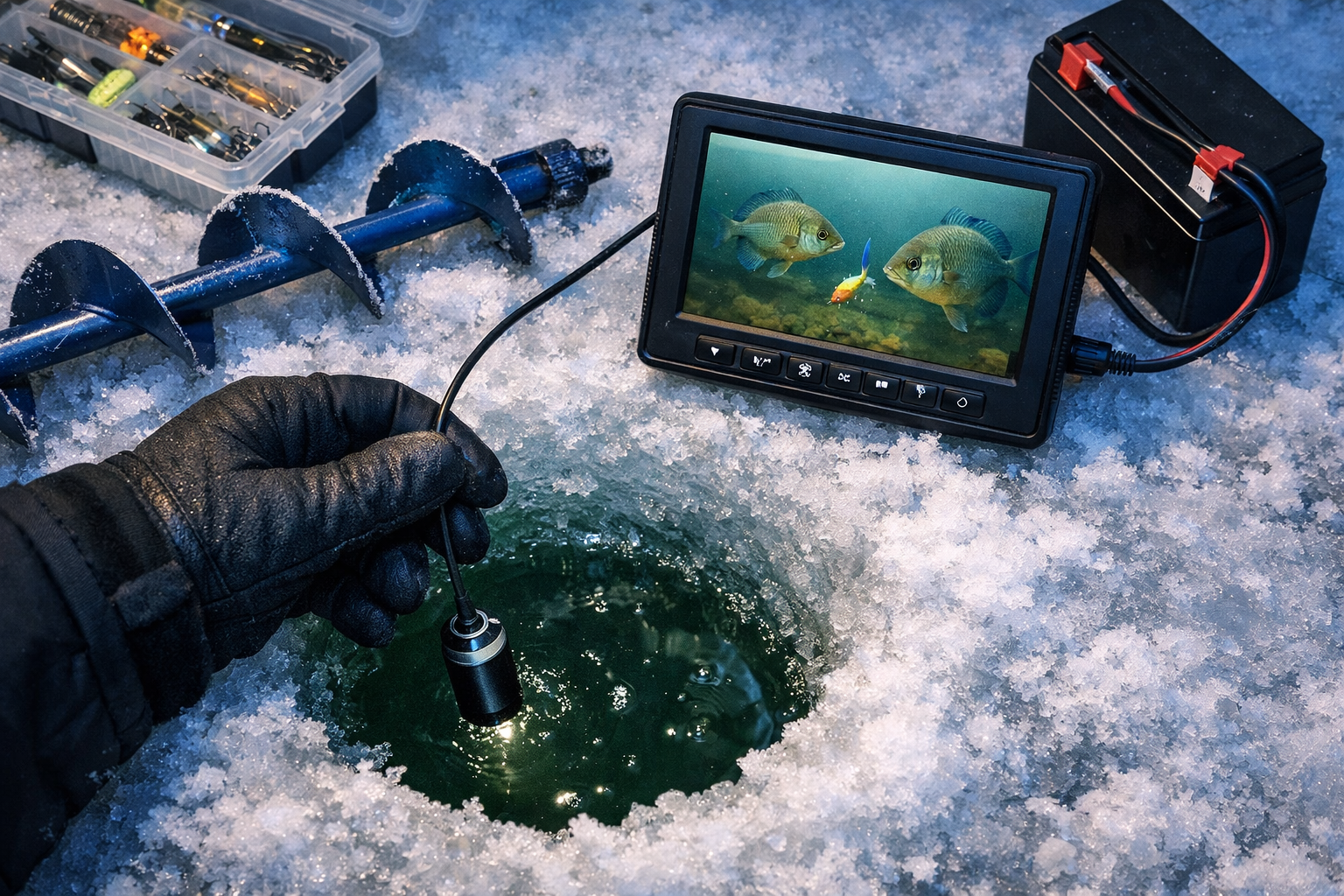
WiFi does not work underwater. Water absorbs 2.4GHz and 5GHz radio waves within centimeters of the surface, making direct WiFi transmission from a submerged camera to your phone impossible. Every “wireless” underwater camera for ice fishing uses a workaround.
The standard approach: a wired cable connects the submerged camera to a surface control box sitting on the ice. That surface box then transmits video wirelessly (via WiFi or RF) to a monitor, phone, or tablet. The Chasing CanFish CF1, for example, sends 1080p video through a 30-meter cable to a surface unit, which then connects to your phone app via WiFi with a range of about 50 meters in open air.
Some systems skip wireless entirely. The FishPRO HD1080P uses a direct cable connection to a 7-inch dedicated monitor, giving you zero signal dropout risk. The Aqua-Vu HD71-125 Pro follows a similar wired-to-monitor design and earned Outdoor Life's “best overall” rating for 2026.
Choose a phone/WiFi system if: you want recording flexibility, app-based controls, and already own a compatible device.
Choose a dedicated wired monitor if: you prioritize reliability in cold conditions and want zero connectivity issues.
For a detailed look at specific camera models, check our head-to-head test of top IR underwater cameras for murky water.
What Equipment Do You Need for a Wireless Underwater Camera Setup on Ice?
You need five core components to run a wireless underwater camera on the ice. Missing any one of these creates problems.
Core gear list:
- Underwater camera unit (with IR or LED lighting for dark water)
- Cable (typically 15 to 30 meters, connecting camera to surface transmitter)
- Surface transmitter or control box
- Monitor, phone, or tablet (to receive wireless signal)
- Power source (rechargeable lithium battery pack rated for cold weather)
Recommended additions:
- Camera stabilizer weight or fin (prevents spinning in current)
- Lens anti-fog spray or wipes
- Insulated battery case or hand warmers for battery packs
- Small tripod or mount for your monitor
- Spare cable clips to secure the line at the hole edge
The FishPRO 2026 Focus Pro model includes an enhanced tripod with RF wireless panning, a 7-inch screen, and 1080p DVR recording built in. This all-in-one approach reduces the number of separate components you manage on the ice.
Budget-conscious anglers should look at the Eyoyo underwater camera, which provides solid clear-water performance at a lower price point. Keep expectations realistic: the Eyoyo works well for basic viewing but lacks the IR performance and build quality of $300+ systems.
If you fish murky water, the Vexilar FS800IR Fish Scout uses infrared lighting that outperforms standard LED in stained or dark water conditions.
Step-by-Step: Setting Up Your Wireless Underwater Camera Through the Ice
Follow these steps in order. Rushing the setup leads to tangled cables, foggy lenses, and dropped signals.
Step 1: Drill your hole and clear ice shavings. Use an auger to cut a clean hole (8 to 12 inches works for most cameras). Remove all ice chips. Floating debris blocks the camera lens and creates false readings.
Step 2: Prepare the camera indoors or in your shelter. Bring the camera to ambient temperature gradually. Moving a cold camera into warm shelter air (or vice versa) causes instant lens fogging. Apply anti-fog treatment to the lens before deployment.
Step 3: Attach the stabilizer weight. Clip or screw the anti-spin weight to the camera housing. Without stabilization, current and line movement cause the camera to rotate, making footage useless.
Step 4: Lower the camera slowly. Feed the cable through the hole, lowering at a steady pace. Stop at your target depth. For panfish in shallow water, 5 to 10 feet works well. For walleye on deeper structure, you need 15 to 25 feet. Position the camera 1 to 2 feet off the bottom for the widest field of view.
Step 5: Secure the cable at the hole edge. Use a clip or small weight to prevent the cable from sliding. A loose cable lets the camera drift out of position.
Step 6: Position the surface transmitter. Place the control box or transmitter on the ice near the hole. Keep the unit dry and elevated on a small platform if slush is present.
Step 7: Power on and connect. Turn on the transmitter first, then the monitor or phone app. For WiFi-based systems, connect to the camera's WiFi network from your phone settings before opening the app. For RF systems with dedicated monitors, the pairing happens automatically.
Step 8: Adjust camera angle and lighting. Use the panning controls (RF wireless on models like the FishPRO 2026) to aim the camera toward structure, your jig, or open water. Switch between IR and LED lighting based on water clarity.
For anglers who pair camera viewing with passive setups, the Minnesota DNR now allows non-motorized automatic hook-setting devices during ice season. This lets you watch fish approach on camera and rely on the device to set the hook while you monitor the screen.
WiFi Connectivity and Range: What to Expect on the Ice
Expect 20 to 50 meters of wireless range from your surface transmitter to your viewing device in open air. Inside a shelter, walls and heater interference reduce that range by 30 to 50 percent.
Range by system type:
| System Type | Typical Range (Open Air) | Range Inside Shelter | Signal Type |
|---|---|---|---|
| Chasing CanFish CF1 | ~50 meters | 25-35 meters | WiFi to phone app |
| FishPRO 2026 Focus Pro | RF to dedicated monitor | Direct cable (no loss) | RF for pan control |
| Seavu Seeker (GoPro adapter) | WiFi to phone/TV | 15-25 meters | Extended WiFi via cable |
| Eyoyo / Budget wired | Direct cable to monitor | No wireless loss | Wired only |
The Seavu Seeker system extends a GoPro or DJI camera's native WiFi through a cable to a surface transmitter, sending real-time video to your phone or TV. This works if you already own an action camera and want live streaming capability.
Common mistake: Anglers assume their phone will maintain a WiFi connection to the camera while also running cellular data. Most camera WiFi systems require your phone to disconnect from cellular to connect to the camera's WiFi network. This means no texting, no streaming, and no weather updates while viewing.
Factors that reduce range:
- Pop-up shelter fabric (especially insulated models)
- Running a propane heater near the transmitter
- Multiple anglers using WiFi cameras on adjacent holes
- Low battery voltage on the transmitter
- Extreme cold (below -15F) affecting antenna performance
If you fish from a larger shelter like the Eskimo Outbreak 450XD, position the transmitter near the shelter wall closest to your viewing position rather than in the center of the floor.
Troubleshooting Common Wireless Camera Problems on the Ice
Most camera failures on the ice come from three sources: power, temperature, and signal obstruction. Address these first before assuming your equipment is defective.
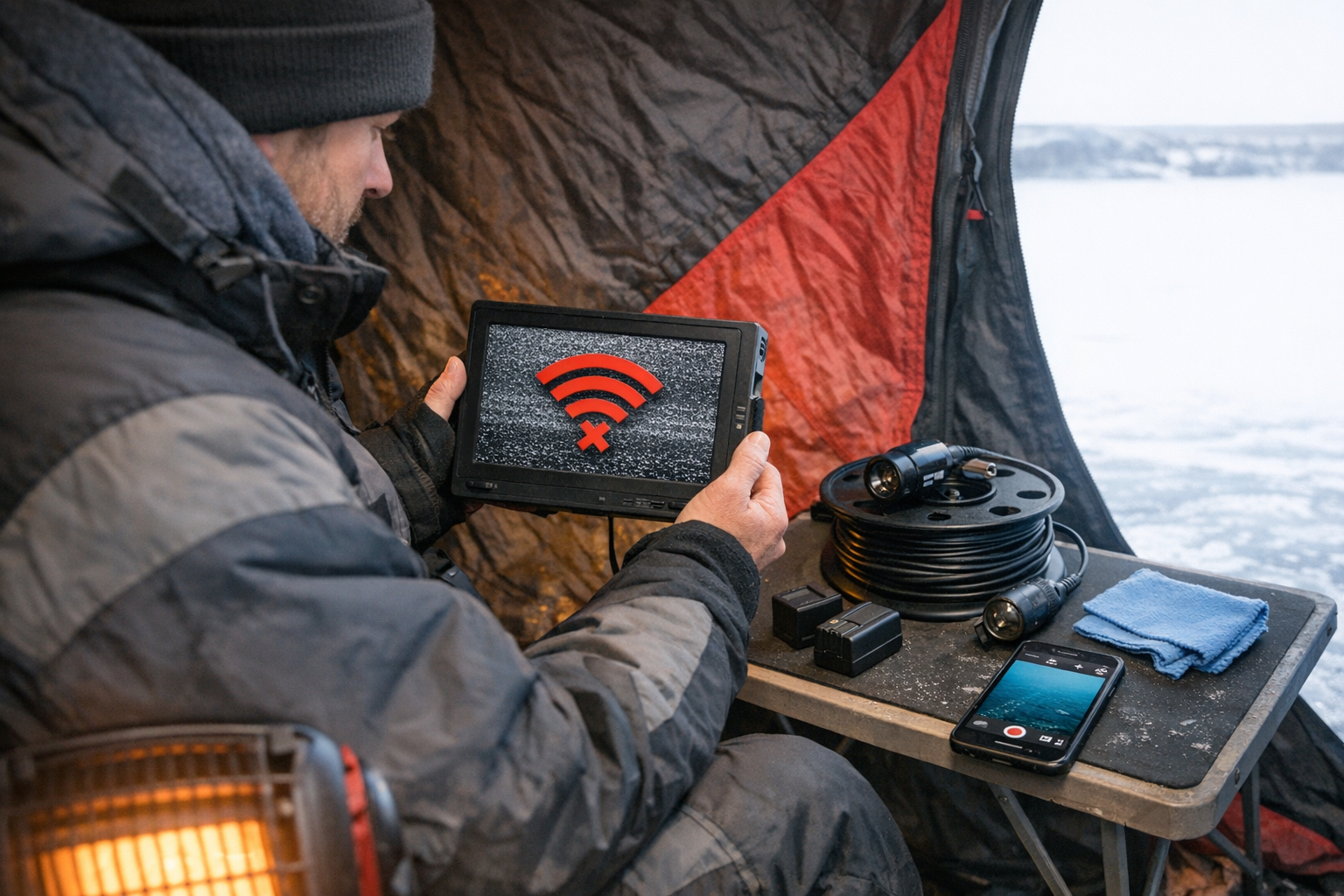
Problem: Monitor shows no signal or “disconnected.” Fix: Power cycle the transmitter and monitor. Move the transmitter closer. Remove any metal objects between the transmitter and receiver. Check that your phone is connected to the camera WiFi network, not your mobile hotspot.
Problem: Foggy or blurry underwater image. Fix: Pull the camera up and wipe the lens with a microfiber cloth. Apply anti-fog spray. Allow the camera housing to equalize to water temperature for 2 to 3 minutes before expecting a clear image. The FishPRO 2026 Focus Pro features an adjustable focal length that helps maintain sharp imagery at varying depths.
Problem: Battery dies faster than expected. Fix: Cold temperatures drain lithium batteries 20 to 40 percent faster than rated capacity. Store battery packs inside your jacket between uses. Carry a spare. The FishPRO HD1080P advertises a 20-hour battery life under normal conditions, but expect 12 to 15 hours in sub-zero weather.
Problem: Camera spins or drifts out of position. Fix: Add a heavier stabilizer weight. Check that the anti-spin fin is properly attached. In areas with current under the ice, use a heavier camera housing or anchor the cable to a fixed point at the hole edge.
Problem: WiFi signal drops intermittently. Fix: Other 2.4GHz devices cause interference. Turn off Bluetooth on your phone. Move away from other anglers running wireless cameras. If you fish in a group inside a large shelter, stagger camera frequencies or switch to wired monitor systems.
Problem: Screen freezes or app crashes. Fix: Close and reopen the camera app. If the problem persists, restart your phone. Ensure your phone operating system and the camera app are both updated to the latest version. Cold phones crash more often. Keep your phone warm.
For staying warm while troubleshooting gear, our guide to professional ice fishing float suit setups covers layering systems that keep your hands free for technical work.
Which Wireless Underwater Camera Should You Buy for Ice Fishing in 2026?
The right camera depends on your budget, water clarity, and whether you need recording capability.
Best overall (wired reliability): Aqua-Vu HD71-125 Pro. Outdoor Life rates this the best overall underwater fishing camera for 2026, with strong IR performance and a dedicated monitor. Read our full Aqua-Vu HD71-125 Pro review for detailed test results.
Best for ice fishing with wireless panning: FishPRO 2026 Focus Pro. The redesigned model features 1080p DVR recording, a 7-inch screen, adjustable focal length, and RF wireless panning through 12-inch holes. Side-by-side tests show the 2026 model outperforms the previous version in focus quality and signal strength.
Best for ice fishing on a budget: Eyoyo Underwater Camera. Solid performance in clear water at a fraction of the cost. Expect good results in lakes with visibility over 3 feet, but limited performance in murky conditions.
Best for ice fishing in murky water: Vexilar FS800IR Fish Scout. Outdoor Life's top pick for ice fishing specifically, with IR lighting designed for stained water. Our Vexilar FS800IR review breaks down its murky water performance.
Best for anglers who own a GoPro: Seavu Seeker system. Extends your existing action camera's WiFi to a surface transmitter for real-time phone or TV viewing. Cost-effective if you already have the camera.
How to Maximize Camera Performance in Extreme Cold
Extreme cold affects every electronic component in your camera system. Prepare for temperatures below 0F with these specific steps.
Protect batteries aggressively. Keep all battery packs inside insulated cases or inside your jacket pockets until you need them. Swap batteries before they die completely. A battery that reads “dead” in extreme cold often recovers 10 to 20 percent capacity when warmed.
Use a shelter when possible. Even an unheated pop-up shelter blocks wind and raises the ambient temperature around your electronics by 10 to 15 degrees. For shelter options, the Clam X-1200 Hub Shelter provides enough space for a full camera setup with room to work.
Pre-warm your monitor. A cold LCD screen responds slowly and displays washed-out colors. Keep the monitor inside your jacket for 10 minutes before powering on.
Manage condensation during transitions. Moving electronics from cold air into a heated shelter creates condensation on circuit boards and lenses. Place gear in a sealed plastic bag before bringing it inside. Let the bag equalize to shelter temperature before opening.
Secure all cables against ice buildup. Water on cables freezes and creates stiff, brittle sections that crack when bent. Wipe cables dry when pulling the camera up, and coil them loosely for storage.
Pairing Your Camera with Other Ice Fishing Electronics
Your underwater camera works best as part of a broader electronics setup. Pair your camera with a flasher or sonar unit for complete coverage.
Use the flasher to locate fish and structure quickly. Then deploy the camera to confirm species, size, and behavior. This two-step approach saves camera battery life and speeds up your hole-hopping routine.
The Vexilar FLX-18 pairs well with any underwater camera system, providing 300-foot depth capability and a bright display that reads clearly in daylight.
When running multiple electronics, stagger power sources. Connect your flasher and camera to separate battery packs. A single battery powering both systems creates voltage drops that cause screen flickering and signal loss.
For anglers building a complete ice fishing gear system, the camera fills the gap between sonar data and visual confirmation. You see what the flasher only hints at.
Wireless Underwater Camera Setup Guide for Ice Fishing: Frequently Asked Questions
Does WiFi work underwater for ice fishing cameras? No. Water absorbs WiFi signals (2.4GHz and 5GHz) within centimeters of the surface. All underwater cameras use a wired cable to transmit video to the surface, where a transmitter sends the signal wirelessly to your viewing device.
How far does the wireless signal reach on ice fishing cameras? Most systems reach 20 to 50 meters in open air. Inside a shelter, expect 15 to 35 meters depending on insulation thickness and interference from other electronics.
Do I need a phone to use a wireless underwater camera? Not always. Systems like the FishPRO 2026 and Aqua-Vu HD71-125 Pro include dedicated monitors. Phone-based systems like the Chasing CanFish CF1 require a smartphone with the manufacturer's app.
What is the best underwater camera for murky water ice fishing? The Vexilar FS800IR Fish Scout and Aqua-Vu HD71-125 Pro both perform well in stained water due to their infrared lighting systems.
How long do ice fishing camera batteries last in cold weather? Expect 30 to 40 percent less battery life than the manufacturer's rating in temperatures below 0F. A camera rated for 20 hours at room temperature provides roughly 12 to 15 hours in sub-zero conditions.
Are underwater cameras legal for ice fishing? Underwater cameras are legal in all U.S. states and Canadian provinces for ice fishing. Check local regulations for any restrictions on recording or electronic devices. Minnesota recently legalized non-motorized automatic hook-setting devices for the 2025-26 season, which pair well with camera monitoring.
What size ice hole do I need for an underwater camera? An 8-inch hole works for most camera units. A 10 to 12-inch hole gives more room for camera adjustment and panning.
How do I prevent my underwater camera lens from fogging? Apply anti-fog spray before deployment. Lower the camera slowly to let the housing equalize to water temperature. Avoid touching the lens with bare fingers, as skin oils attract moisture.
Is a wired or wireless camera system better for ice fishing? Wired systems with dedicated monitors offer the most reliable performance. WiFi-based systems add flexibility and recording options but introduce connectivity risks in cold conditions.
How deep do underwater ice fishing cameras work? Most ice fishing cameras function well to 50 to 100 feet. Beyond that, you need stronger IR lighting and a longer cable. The Chasing CanFish CF1 includes a 30-meter cable [1].
Kayak. Drill. Catch. Repeat.
See you on the water.
References
[1] Chasing Canfish Cf1 Underwater Fishing Camera Kit – https://www.canfishcam.com/product/chasing-canfish-cf1-underwater-fishing-camera-kit
[2] FishPRO HD1080P Ice Fishing Camera Review – https://www.youtube.com/watch?v=hBUYf9Vq7oA
[3] Hook Setting Devices Allowed Starting 2025-26 Ice Fishing Season – https://www.dnr.state.mn.us/news/2025/11/17/hook-setting-devices-allowed-starting-2025-26-ice-fishing-season
[4] Underwater Wifi Camera System – https://seavu.com/action-cameras/underwater-wifi-camera-system/
[5] Eyoyo Underwater Fishing Camera Review – https://www.youtube.com/watch?v=zmTjpiGt1uM&vl=id
[6] Hook Setting Devices Allowed Starting 2025-26 Ice Fishing Season – https://www.wheelherald.com/news/hook-setting-devices-allowed-starting-2025-26-ice-fishing-season
[7] FishPRO 2026 Focus Pro Side-by-Side Test – https://www.youtube.com/watch?v=zzfQD64bYac
[8] FishPRO 2026 Camera Review with RF Wireless Panning – https://www.youtube.com/watch?v=SnLfnJzKjQo
[9] Best Underwater Fishing Cameras (Outdoor Life) – https://www.outdoorlife.com/gear/best-underwater-fishing-cameras/