Last updated: March 11, 2026
Wired underwater cameras deliver more reliable video feeds and zero signal latency on the ice. Wireless systems offer faster setup and better portability for hole-hopping anglers. Your choice between them comes down to how you fish: stationary in a shelter or mobile across the lake. This wireless vs. wired underwater cameras for ice fishing: connectivity, setup time, and real-time monitoring comparison breaks down the differences that affect your catch rate.
Key Takeaways
- Wired cameras provide a direct, lag-free video connection through a physical cable, making them the standard for tournament anglers and stationary setups.
- Wireless systems connect to your smartphone or tablet, reducing gear weight and speeding up deployment between holes.
- WiFi signals do not transmit through water. All “wireless” ice fishing cameras still use a tether cable to the camera head. The wireless part refers to the connection between the receiver and your viewing device.
- Wired setups with dedicated monitors take 3 to 5 minutes to deploy per hole. Wireless smartphone systems take roughly 1 to 2 minutes.
- Modern underwater cameras increase catch rates by 40 to 60% according to field data, regardless of wired or wireless design.
- Battery life favors wired systems with external power packs (8 to 12 hours) over wireless units (4 to 6 hours typical).
- Hybrid models like the Chasing CanFish CF1 let you switch between wired and wireless modes depending on conditions.
- Cold temperatures below 0°F affect wireless signal strength and smartphone battery life more than wired monitor systems.
- Wired cameras with cables of 80 feet or longer handle deeper water better than wireless units limited to 30 to 50 meter tether lengths.
How Does Connectivity Differ Between Wireless and Wired Underwater Ice Fishing Cameras?
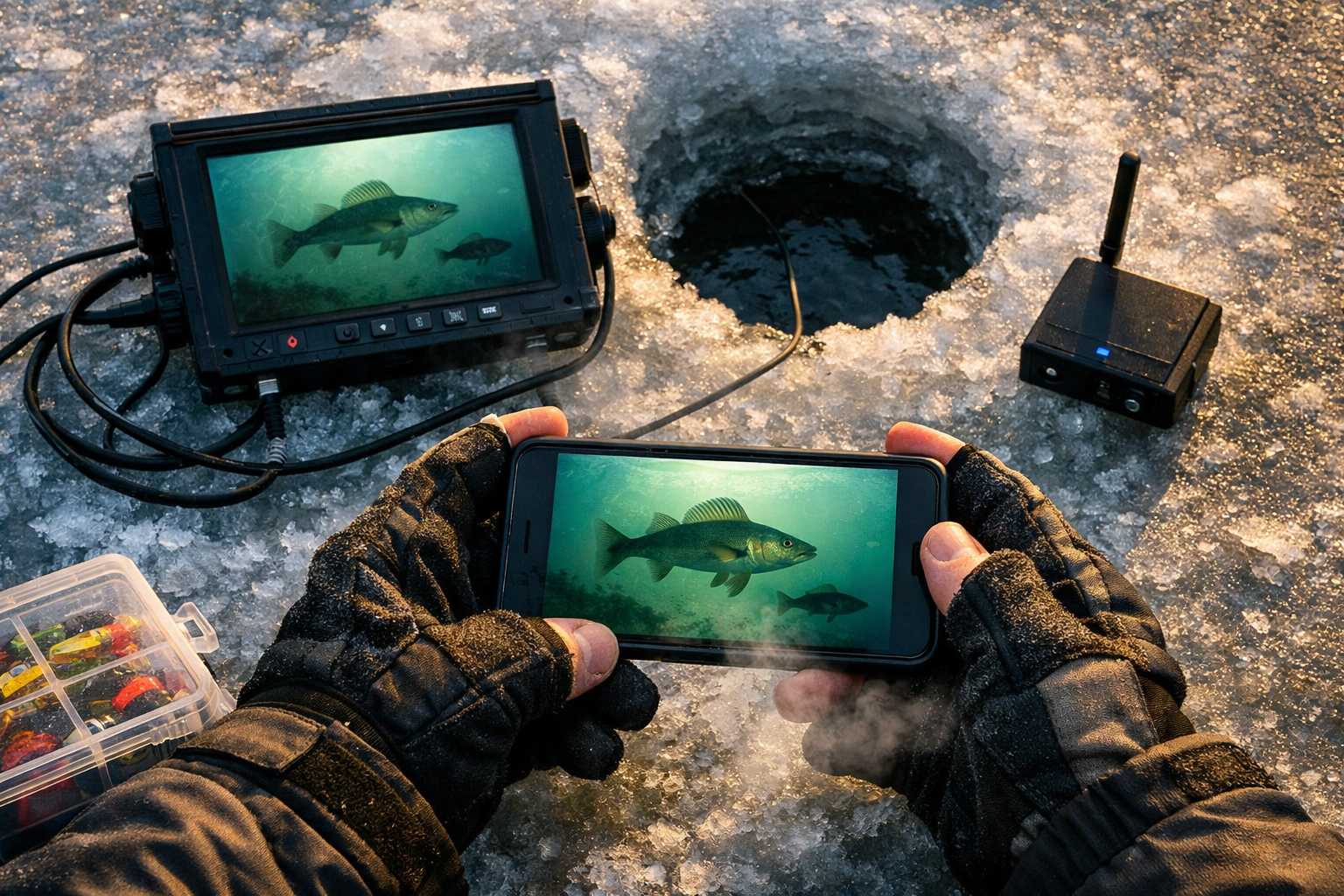
The core difference is the link between the camera and your screen. Wired cameras send video through a physical cable directly to a dedicated monitor. Wireless cameras send video from a surface receiver to your phone or tablet over WiFi or Bluetooth.
Here is the critical point many anglers miss: water blocks WiFi signals. Radio waves get absorbed quickly in water, especially in murky or deep conditions. Every underwater camera, wireless or wired, requires a physical tether cable running from the camera head up through the ice hole. The “wireless” label refers to the above-ice connection between the receiver unit and your viewing device.
Wired connectivity advantages:
- The cable delivers a steady, clear video feed with minimal delay.
- No signal interference from other electronics on the ice.
- Consistent image quality in all weather conditions.
- Longer cable lengths (up to 82 feet on models like the FishPRO 1080P) reach deeper structure.
Wireless connectivity advantages:
- No cable running from the receiver to your hands. View footage on a device you already carry.
- Wireless transmission ranges up to 50 meters above ice on models like the CanFish CamX with 2.4GHz/5GHz WiFi.
- Multiple people in a shelter or group session view the feed simultaneously on separate devices.
Common mistake: Buying a wireless camera expecting full cable-free operation. You still need the tether. The convenience gain is above the ice, not below.
For anglers fishing in organized shelter setups, wired systems with a mounted monitor keep your workspace clean and your feed constant. Mobile anglers benefit more from wireless viewing on a phone tucked in a jacket pocket.
Wireless vs. Wired Underwater Cameras for Ice Fishing: Setup Time and Deployment Speed
Wired cameras with dedicated monitors take 3 to 5 minutes per hole to deploy. Wireless smartphone-connected systems take 1 to 2 minutes. That difference adds up fast when you're hole-hopping across a frozen lake.
Wired setup steps:
- Position the monitor on a bucket, sled, or shelter mount.
- Uncoil the cable from the spool.
- Lower the camera head through the ice hole to your target depth.
- Adjust the monitor angle and brightness.
- Secure excess cable to prevent tangles.
Wireless setup steps:
- Lower the camera head with tether through the ice hole.
- Power on the receiver unit (sits at the hole).
- Open the app on your smartphone and connect.
The wireless approach eliminates the monitor positioning step and the cable management between your viewing screen and the hole. For anglers who drill 10 to 15 holes in a session, saving 2 to 3 minutes per hole means 20 to 45 minutes of additional fishing time.
Choose wired if: You fish from a permanent or semi-permanent shelter, you need maximum screen size for detailed viewing, or you fish deep water (40 feet and beyond) where longer cables matter.
Choose wireless if: You practice mobile, run-and-gun tactics, you fish with a group that wants shared viewing, or you prioritize minimal gear weight on your sled.
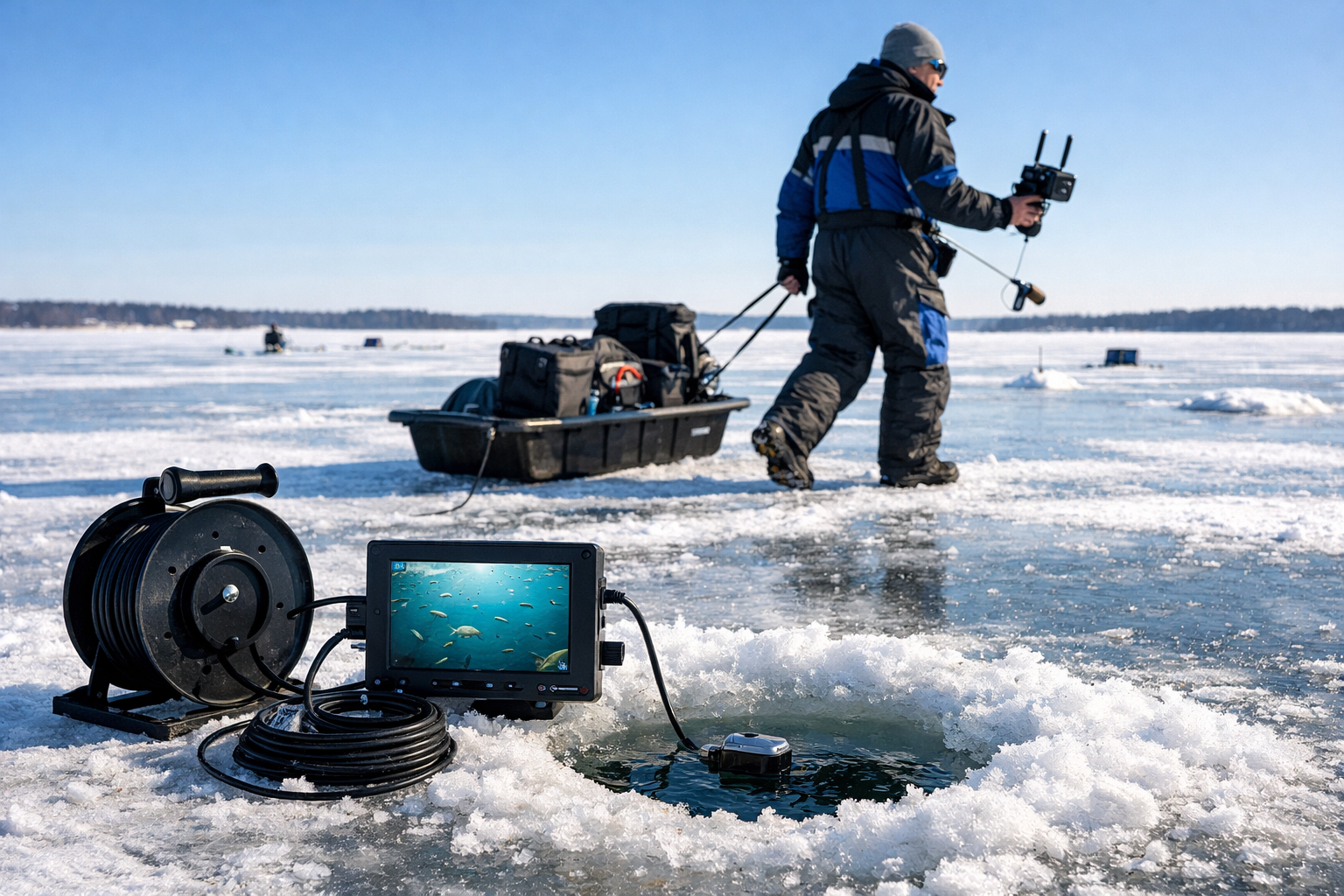
Tournament anglers at the professional level use cameras as search tools to determine if an area holds the right species and size of fish before committing time. Speed of deployment directly affects how many spots you evaluate per session. If tournament preparation is your goal, wireless systems give you a tactical edge in scouting efficiency.
How Do Wired and Wireless Cameras Compare for Real-Time Monitoring?
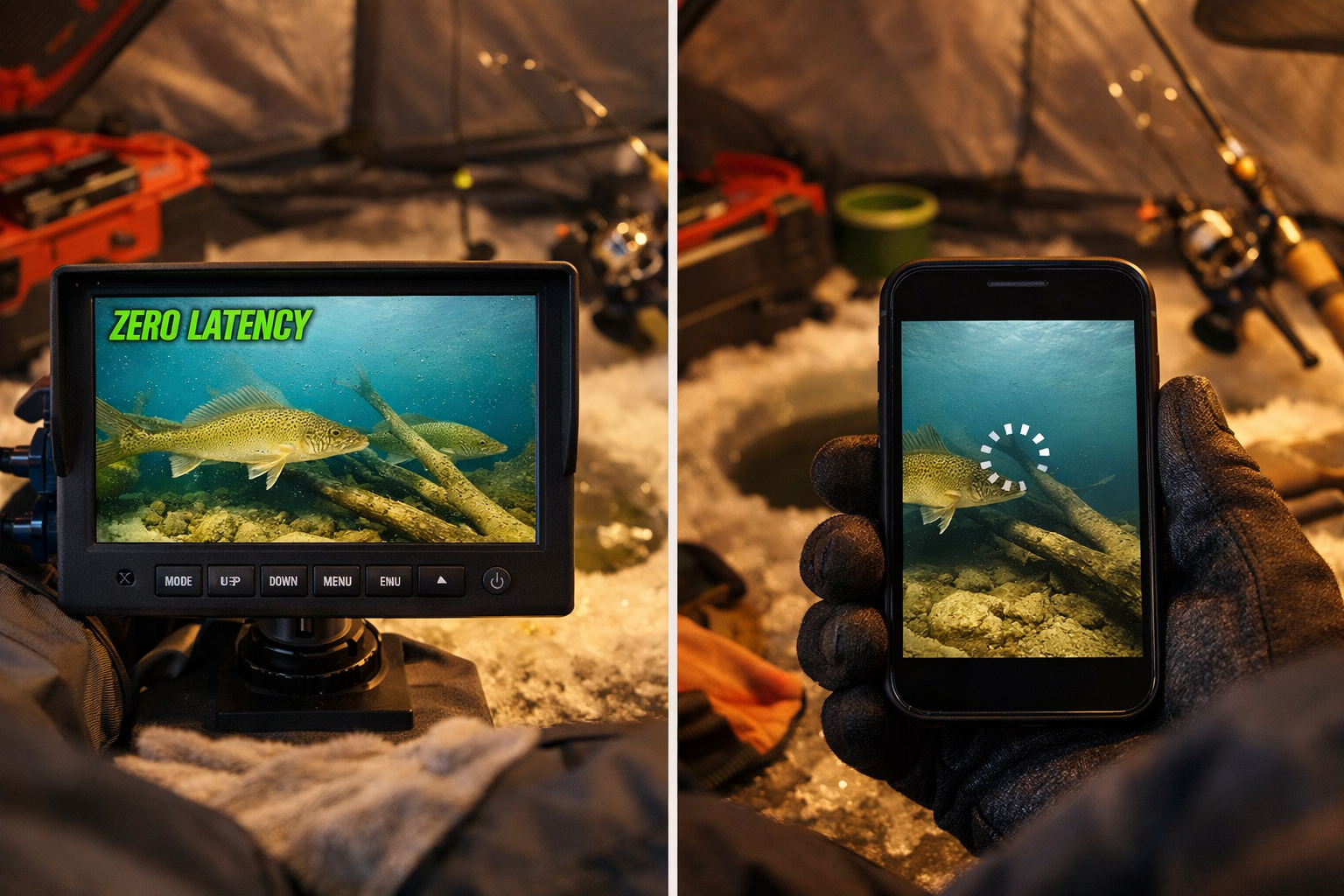
Wired cameras deliver true real-time video with near-zero latency. Wireless systems introduce 0.1 to 0.5 seconds of delay depending on signal strength and interference.
That fraction of a second matters when you're watching a walleye approach your jig. With a wired connection, you see the fish react to your jigging motion at the exact moment the movement happens [6]. You adjust your presentation in sync with what you see. Wireless latency, even when small, creates a disconnect between your rod movement and the on-screen result.
Real-time monitoring comparison:
| Feature | Wired Camera | Wireless Camera |
|---|---|---|
| Video latency | Near zero | 0.1 to 0.5 seconds |
| Signal stability | Constant | Variable (affected by interference) |
| Screen size | 5 to 9 inch dedicated monitor | Phone/tablet dependent (4 to 12 inches) |
| Night/low-light viewing | IR LEDs standard on most models | IR LEDs standard, phone screen brightness varies |
| Recording capability | Select models only | Most apps support screen recording |
| Multi-viewer support | One monitor per unit | Multiple devices on same feed |
The CanFish CF1 addresses this gap with hybrid functionality, offering both a 30-meter wired connection and 50-meter wireless control. You use the wired mode for precision jigging sessions and switch to wireless when scouting. The CF1's infrared lighting detects fish movement and underwater contours in low-light winter conditions without creating visible light disturbance.
For walleye-specific techniques like deadsticking, where subtle bait movement triggers strikes, the zero-latency feed from a wired camera gives you better control over your presentation timing.
Which System Handles Extreme Cold Better?
Wired cameras with dedicated monitors outperform wireless setups in extreme cold. Temperatures below 0°F drain smartphone batteries fast and reduce wireless signal reliability.
Dedicated monitors built for ice fishing use internal batteries designed for cold weather operation. Models from Aqua-Vu and MarCum function reliably down to -20°F. Your smartphone, on the other hand, starts losing battery capacity around 32°F and may shut down entirely below 0°F.
Cold weather considerations:
- Wired monitor batteries: 8 to 12 hours in sub-zero conditions.
- Wireless receiver batteries: 4 to 6 hours (the Vexilar FishPhone system provides about 6 hours per charge).
- Smartphone batteries: 2 to 4 hours when exposed to cold, less if the screen stays on.
- Touchscreen responsiveness drops with gloves, making phone-based viewing harder.
If you fish in extreme conditions, check out our guide on how wireless underwater cameras handle extreme ice fishing temperatures for detailed cold-weather performance data.
Edge case: If you fish inside a heated shelter, the cold-weather disadvantage of wireless systems shrinks. Your phone stays warm, your signal stays strong, and the convenience factor tips toward wireless. The problem hits when you step outside to check tip-ups or move between holes.
What About Cost Differences Between Wired and Wireless Systems?
Entry-level wired cameras with monitors start around $150 to $200. Wireless smartphone-connected systems start around $100 to $150 for the camera unit alone, but you need a compatible phone or tablet.
The total cost equation shifts depending on what you already own. If you have a recent smartphone with a good screen, wireless systems save you the cost of a dedicated monitor. If your phone is older or you prefer not to risk it in harsh conditions, a wired system with its own screen is a self-contained solution.
Budget breakdown:
- Budget wired system (Aqua-Vu Micro series): $150 to $250
- Mid-range wired system (MarCum VS485c, Vexilar FS800IR): $250 to $450
- Premium wired system (Aqua-Vu HD71-125 Pro): $400 to $600
- Budget wireless system: $80 to $150
- Mid-range wireless/hybrid (CanFish CF1): $200 to $350
- Premium wireless (CanFish CamX): $300 to $500
For anglers shopping on a budget, our roundup of the best wireless underwater cameras under $300 covers tested options with strong performance at lower price points.
Decision rule: Spend your money on image quality and cable length before spending on wireless features. A clear picture at depth matters more than the convenience of phone viewing.
Do Wireless Cameras Work for Deep Water Ice Fishing?
Wireless cameras face limitations in deep water. Most wireless tether cables max out at 30 to 50 meters. Wired systems offer cables up to 82 feet (25 meters) on standard models and 125 feet on extended models like the Aqua-Vu HD71-125 Pro.
For lake trout or deep-basin walleye in 60 to 100 feet of water, a wired camera with a long cable is your only practical option. The FishPRO 2026 HD model provides 82 feet of cable with 1080P resolution and up to 20 hours of battery life [4], making it a strong choice for full-day deep water sessions.
In shallow to mid-depth panfish and walleye scenarios (10 to 30 feet), wireless systems perform well. Aqua-Vu excels in shallow to mid-depth clarity, while MarCum offers superior low-light performance for deeper water.
Should You Buy a Hybrid Camera System?
Hybrid cameras give you the best of both approaches. If you fish varied conditions throughout the season, a hybrid unit eliminates the need to own two separate systems.
The Chasing CanFish CF1 is the leading hybrid option in 2026. The 30-meter wired cable provides stable, lag-free video when you need precision. The 50-meter wireless range lets you monitor from a distance or share the feed with fishing partners. You switch modes based on the situation without swapping gear.
Choose a hybrid if:
- You fish both shelters and open ice throughout the season.
- You want one camera system for all conditions.
- You value the option to share feeds with partners.
Skip the hybrid if:
- You fish exclusively from a permanent shelter (wired is sufficient).
- You need maximum cable length for deep water (dedicated wired systems offer longer cables).
- Budget is tight (dedicated wired or wireless units cost less than hybrids).
Mistakes to Avoid When Choosing an Underwater Camera Type
Assuming wireless means no cables. Every underwater camera needs a physical connection to the camera head. The wireless component is above the ice only.
Ignoring battery life in your planning. A wireless system that dies after 3 hours in the cold wastes your day. Carry backup power banks in an insulated pocket.
Choosing based on features you won't use. If you fish one hole in a shelter all day, wireless mobility adds no value. Match the system to your fishing style.
Forgetting about screen visibility. Dedicated monitors have anti-glare coatings and adjustable brightness for outdoor use. Phone screens wash out in bright sunlight on the ice.
Neglecting cable management. Wired camera cables freeze, tangle, and create tripping hazards. Use a spool system and keep excess cable coiled and secured.
Pair your camera setup with proper ice safety protocols and spudding techniques to stay safe while moving between holes with your gear.
Wireless vs. Wired Underwater Cameras for Ice Fishing: Which One Wins for Your Style?
Neither system wins outright. The right choice depends on how you fish.
The stationary shelter angler benefits most from a wired system. Consistent video, long battery life, large screen, and zero latency make wired cameras the standard for serious ice anglers who commit to a spot and work the fish.
The mobile run-and-gun angler benefits most from a wireless system. Faster deployment, lighter gear load, and smartphone integration support the pace of covering water and scouting multiple locations.
The tournament competitor should consider a hybrid system. The ability to scout quickly with wireless and then switch to wired for precision presentations covers both phases of competitive ice fishing.
Kayak. Drill. Catch. Repeat. Whatever system you choose, an underwater camera transforms your time on the ice from guessing to seeing. And seeing fish changes everything about how you fish.
See you on the water.
FAQ
Q: Do wireless underwater cameras work without any cables? A: No. WiFi signals do not transmit through water. All wireless ice fishing cameras use a tether cable to the camera head. The wireless connection runs above the ice between the receiver and your phone or tablet.
Q: How much latency do wireless cameras have compared to wired? A: Wireless cameras typically show 0.1 to 0.5 seconds of video delay. Wired cameras deliver near-zero latency, which matters when watching fish react to jig movements in real time.
Q: How long do wireless camera batteries last in cold weather? A: Wireless receiver units last 4 to 6 hours. Smartphone batteries exposed to cold last 2 to 4 hours. Wired systems with dedicated monitors run 8 to 12 hours in sub-zero conditions.
Q: What is the maximum depth for wireless underwater cameras? A: Most wireless camera tethers reach 30 to 50 meters. For deeper water beyond 50 feet, wired cameras with 82 to 125 foot cables are the better choice.
Q: Do underwater cameras increase catch rates? A: Field studies indicate that modern underwater cameras from brands like Aqua-Vu and MarCum increase catch rates by 40 to 60%. Tournament anglers use them as primary search tools.
Q: What is the best underwater camera type for ice fishing beginners? A: A wired camera with a dedicated monitor offers the simplest, most reliable experience. No app pairing, no phone battery concerns, and consistent performance in all temperatures.
Q: How do I prevent my camera cable from freezing? A: Keep the cable spool inside your shelter or insulated bag when not in use. Avoid laying cable directly on the ice surface for extended periods. Silicone-coated cables resist freezing better than standard PVC.
Q: Are hybrid cameras worth the extra cost? A: If you fish both mobile and stationary styles throughout the season, a hybrid like the CanFish CF1 eliminates the need for two systems. If you fish one style consistently, a dedicated wired or wireless unit saves money.
Q: Does water clarity affect wireless camera performance? A: Water clarity affects image quality for all cameras equally. Wireless signal transmission above the ice is affected by interference from nearby electronics, not water clarity. Below the ice, the tether cable handles the connection regardless of clarity.
Q: What screen size works best for ice fishing cameras? A: Dedicated wired monitors between 5 and 7 inches offer the best balance of portability and visibility. Larger screens (9 inches) provide more detail but add weight and bulk to your sled.
References
[1] Ice Fishing Through Ice Vision Underwater Cameras And Float Suit Mobility – https://windrider.com/blogs/tips-and-tricks/ice-fishing-through-ice-vision-underwater-cameras-and-float-suit-mobility
[2] Underwater Wifi Camera – https://seavu.com/underwater-wifi-camera/
[3] How Do I Use An Underwater Camera For Ice Fishing – https://marcumtech.com/how-do-i-use-an-underwater-camera-for-ice-fishing/
[4] Watch – https://www.youtube.com/watch?v=x4Q4may6N0U
[5] Sonar Vs Underwater Cameras – https://www.fishusa.com/learn/sonar-vs-underwater-cameras/
[6] Chasing Canfish Cf1 Underwater Fishing Camera Kit – https://www.canfishcam.com/product/chasing-canfish-cf1-underwater-fishing-camera-kit
[7] How An Underwater Camera Changed My Ice Fishing Season A Real Cf1 User Story – https://www.canfishcam.com/blogs/how-an-underwater-camera-changed-my-ice-fishing-season-a-real-cf1-user-story