Last updated: March 13, 2026
Quick Answer
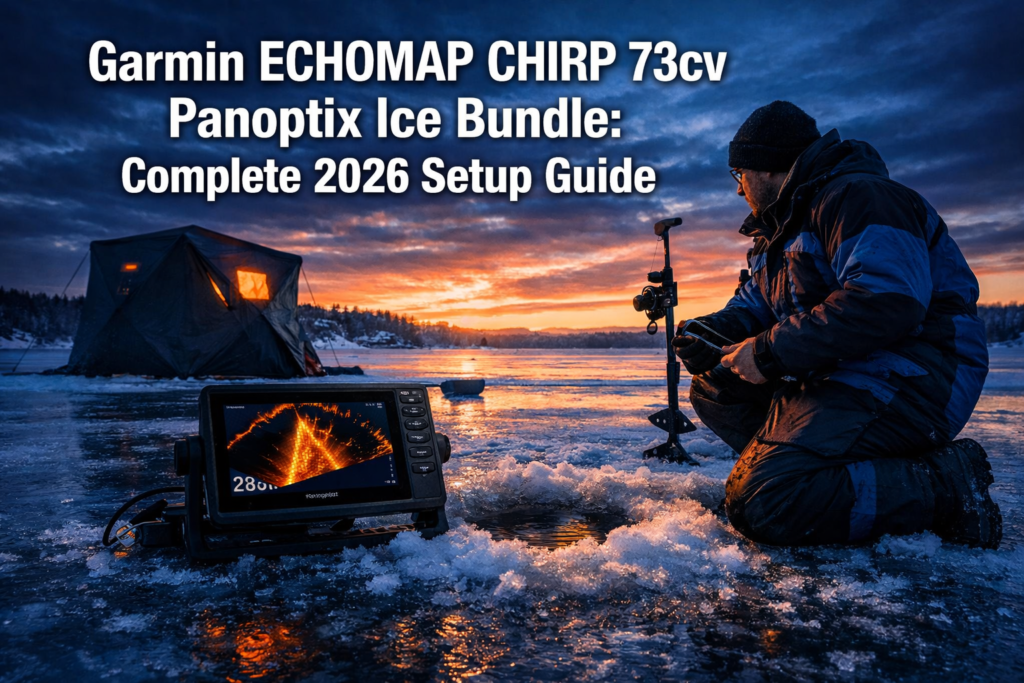
The Garmin ECHOMAP CHIRP 73cv Panoptix Ice Bundle pairs a 7-inch CHIRP chartplotter with the PS22-IF transducer to deliver real-time LiveVu Forward and Down sonar views under the ice. Setup on a Clam drill plate takes under 20 minutes. Dial in your gain and range settings for 9 to 24 feet of water and you will see fish react to your jig in real time.
Key Takeaways
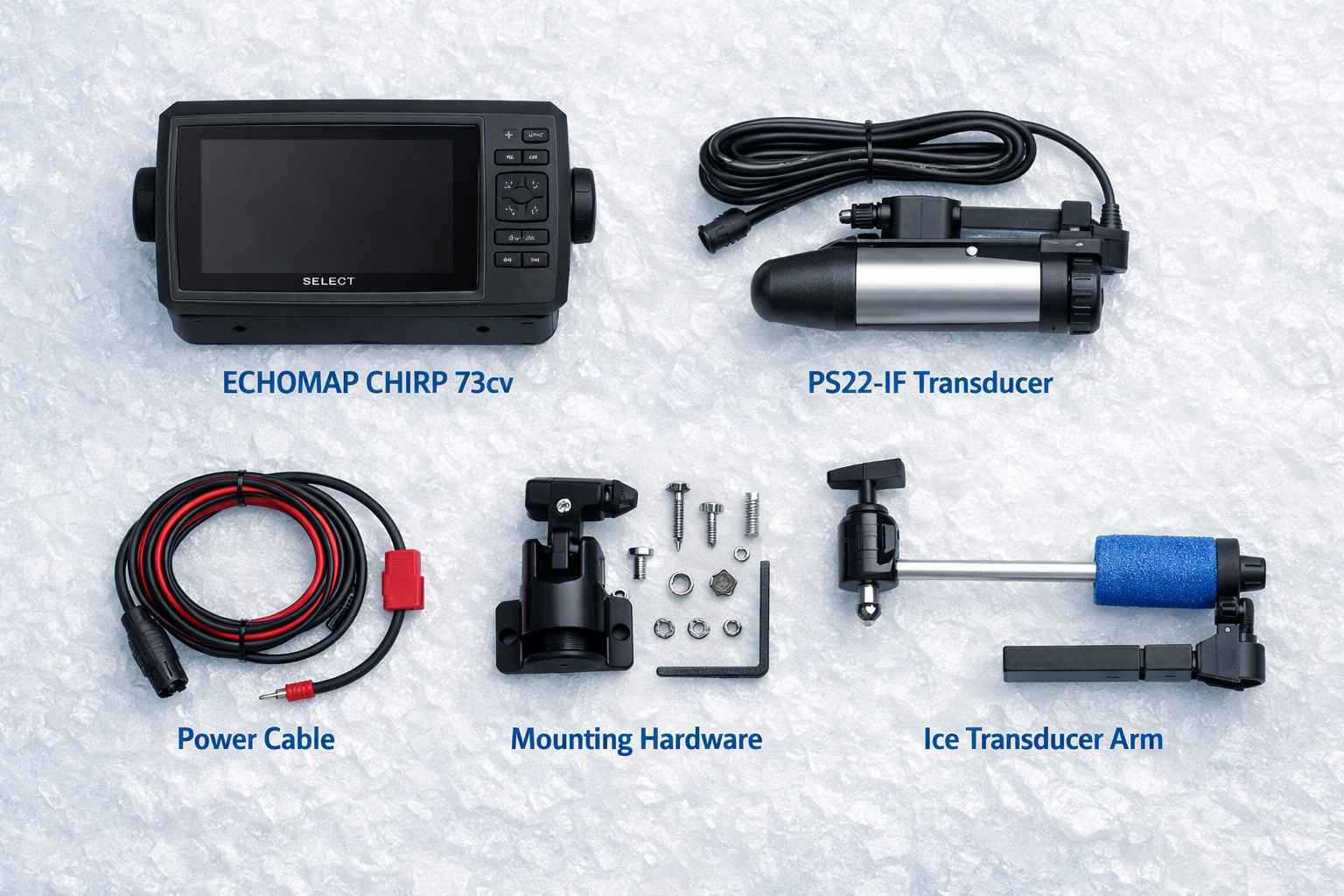
- The bundle includes the ECHOMAP CHIRP 73cv display, PS22-IF transducer, transducer arm, power cable, and mounting hardware
- The PS22-IF transducer weighs 12 lbs 12.5 oz fully loaded, making sled transport smarter than hand-carrying for hole-hopping
- LiveVu Forward range works best between 9 and 24 feet of water depth for clear target separation
- The ECHOMAP CHIRP 73cv outputs 350W of CHIRP power, up from 250W in prior generations, for sharper fish arches under ice
- Firmware version 2026.0204.0 is available for compatible ECHOMAP models as of February 4, 2026, downloadable via ActiveCaptain or SD card
- A 20Ah lithium battery at 12V sustains the unit for 8 to 10 hours of continuous use, covering a full day of hole-hopping
- Mounting on a Clam drill plate with a RAM arm gives you the most stable and portable setup for hub shelters and open-ice fishing
- Fewer holes drilled equals more fish caught: real-time sonar feedback shows fish presence before you commit to a location
- The Lowrance Eagle Eye 9 is a lighter, cheaper alternative but lacks Garmin’s mapping ecosystem integration
What Comes in the Garmin ECHOMAP CHIRP 73cv Panoptix Ice Bundle?
The bundle ships with everything you need to get on the ice fast. You get the ECHOMAP CHIRP 73cv chartplotter, the Panoptix PS22-IF transducer, a transducer arm for ice deployment, a power cable, and all required mounting hardware.
Here is the full component list:
- Garmin ECHOMAP CHIRP 73cv (7-inch display, CHIRP sonar, GPS chartplotter)
- Panoptix PS22-IF transducer (LiveVu Forward and Down sonar)
- Transducer arm with ice hole adapter
- 10-foot power cable with fuse
- RAM mount ball base
- Quickdraw Contours mapping software (built-in)
What you will need to buy separately:
- 12V battery (20Ah lithium recommended)
- RAM arm extension and drill plate adapter
- Portable sled or carry case for transport
The total system weight fully loaded runs close to 12 lbs 12.5 oz. Plan your transport setup before you hit the ice. A sled beats a carry bag for long walks across open water.
How Do You Mount the Garmin ECHOMAP CHIRP 73cv on a Clam Drill Plate?
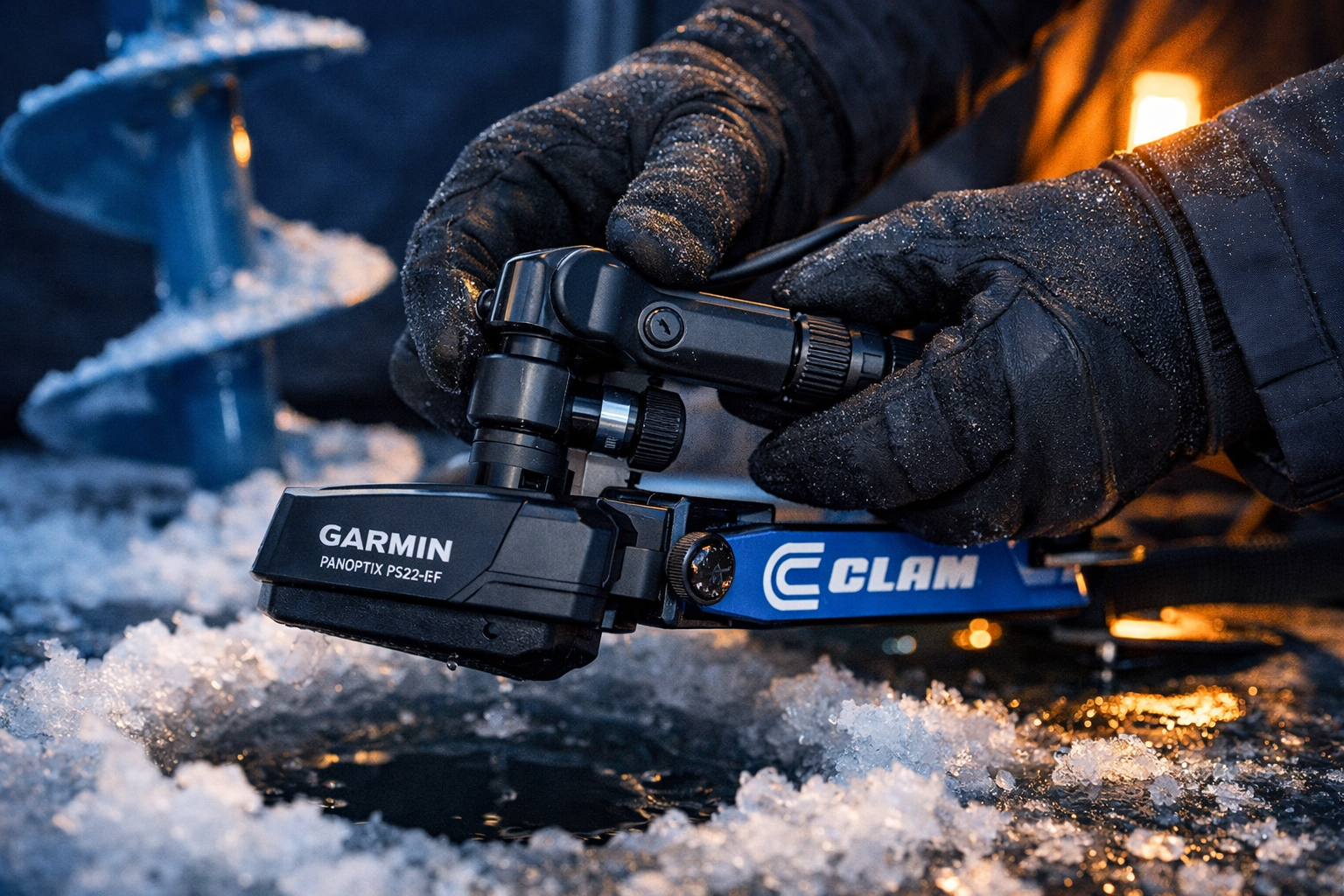
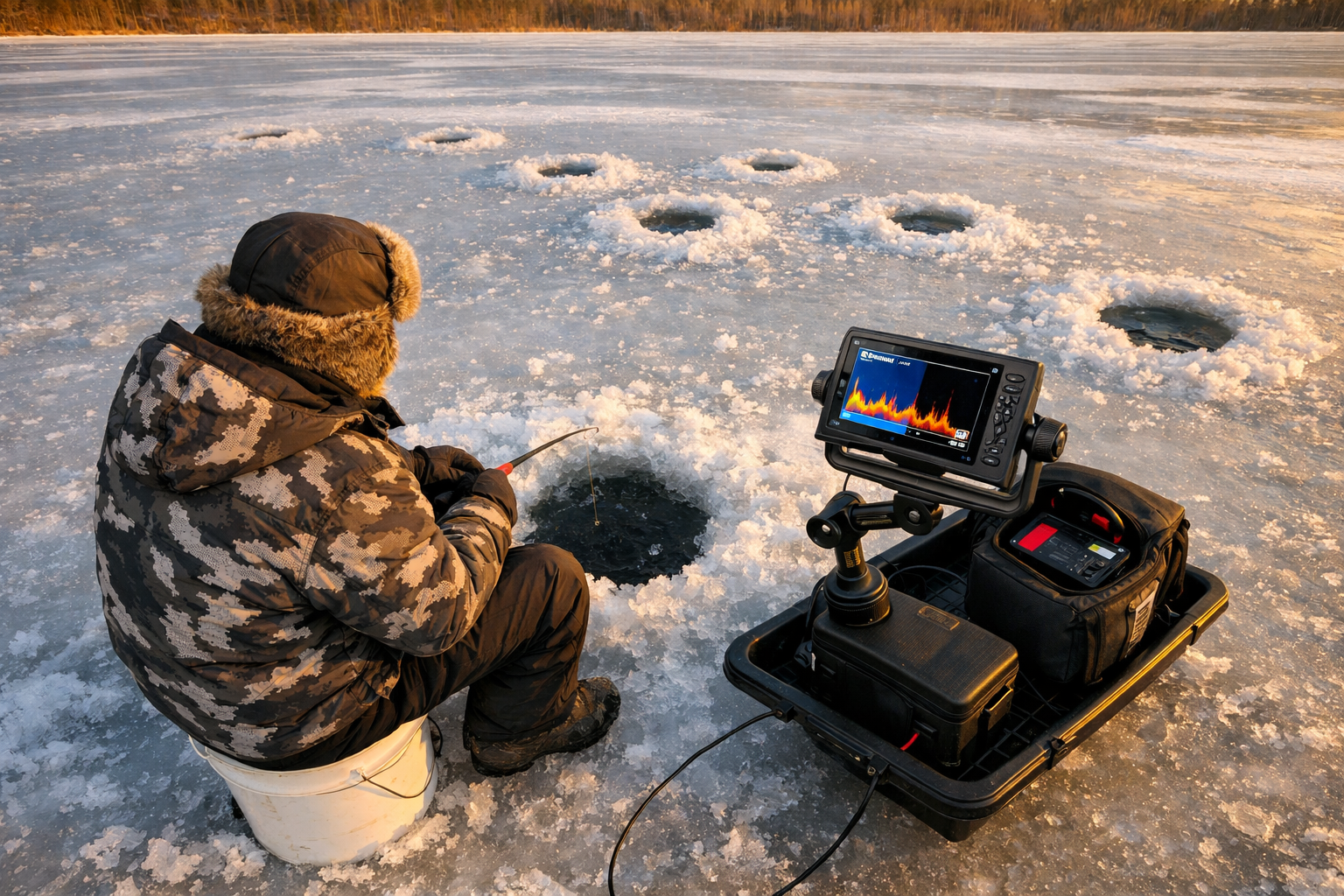
Mounting on a Clam drill plate takes under 20 minutes and gives you a stable, portable base for both hub shelters and open-ice fishing. The drill plate attaches directly to your sled or shelter floor, and the RAM arm holds the display at eye level when you are seated.
Step-by-step mounting process:
- Attach the RAM ball base to the Clam drill plate using the provided hardware. Tighten firmly.
- Thread the RAM arm onto the ball base and lock it at your preferred angle.
- Slide the ECHOMAP CHIRP 73cv into the RAM cradle and tighten the knob until the unit does not shift.
- Route the power cable along the sled rail and connect it to your 12V battery. Keep the cable away from the transducer arm to avoid interference.
- Position the drill plate so the display faces you directly when seated over the hole.
For hub shelters like the Clam or Otter Vortex: Anchor the drill plate to the shelter floor using the shelter’s built-in tie-down loops or Velcro straps. This prevents the unit from tipping when you shift weight. See the Otter Vortex Pro Monster Cabin setup guide for shelter-specific anchoring tips.
Common mistake: Anglers mount the display too high. Keep the screen at seated chest height so you watch the sonar without lifting your head away from the hole.
How Do You Deploy the PS22-IF Transducer Through the Ice Hole?
Lower the PS22-IF transducer straight down through a 8-inch hole until the transducer head sits 2 to 3 inches below the ice bottom. Lock the arm at that depth. This position eliminates surface clutter and gives you a clean sonar cone.
Transducer deployment steps:
- Drill an 8-inch hole. Clear all slush before lowering the transducer.
- Slide the transducer arm through the ice hole adapter on your drill plate.
- Lower the transducer head until it clears the ice bottom by 2 to 3 inches.
- Tighten the arm lock collar to hold that depth.
- Rotate the transducer head so the LiveVu Forward beam points toward the area you want to scan, typically away from you and toward the center of the school.
For LiveVu Down: No rotation needed. The downward beam fires straight below the hole.
For LiveVu Forward: Rotate the transducer head so the forward beam sweeps the direction you want to cover. You will see fish approaching the hole from up to 20 feet away horizontally in 9 to 24 feet of water depth.
Edge case: In water shallower than 9 feet, LiveVu Forward loses resolution near the surface. Switch to LiveVu Down only in those conditions and use a traditional jigging approach.
What Are the Best Settings for LiveVu Forward and Down in 9 to 24 Feet?
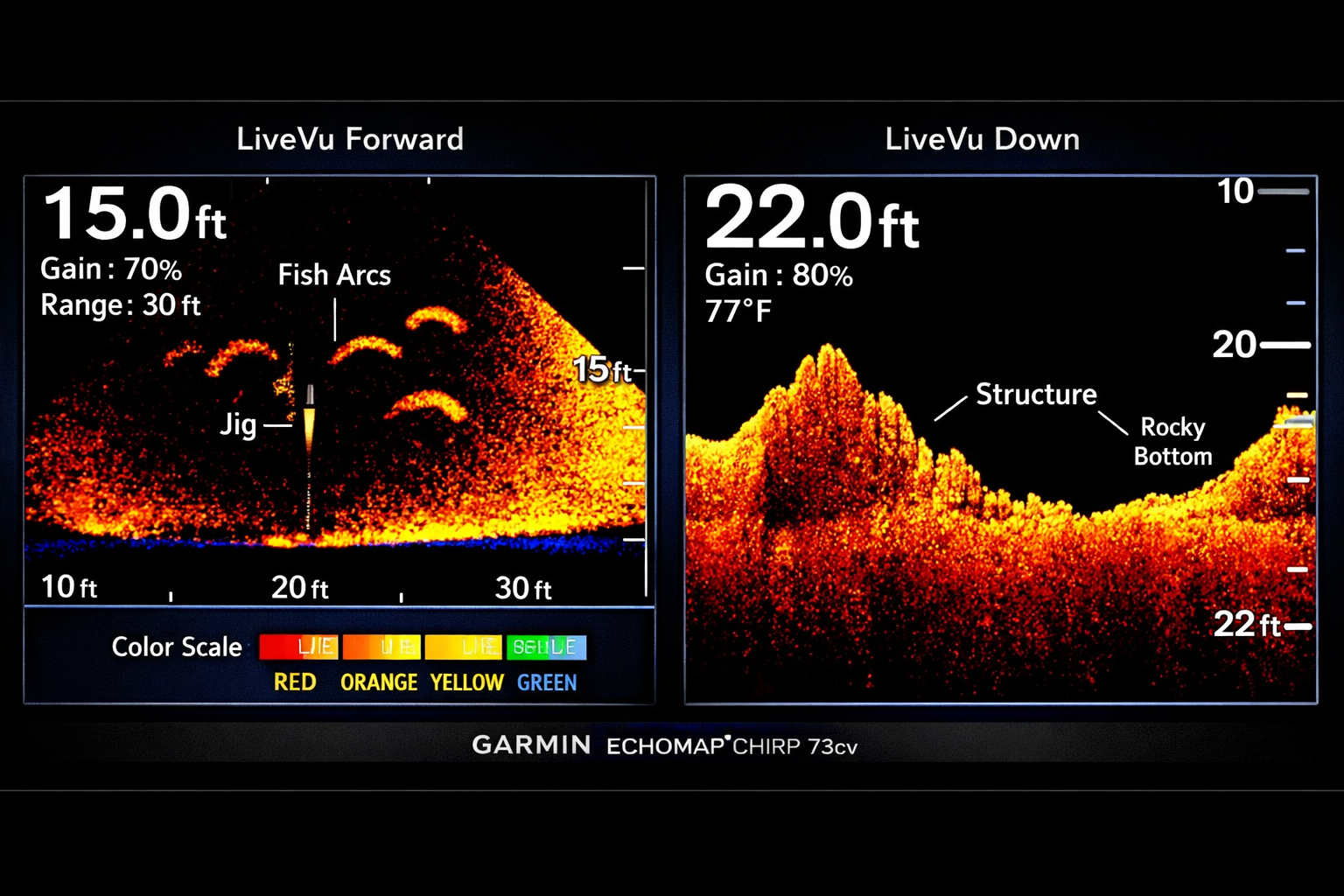
For 9 to 24 feet of water, set your LiveVu Forward range to 20 feet and your gain between 5 and 7 on a 10-point scale. This eliminates most noise while keeping fish and jig movement sharp on screen.
Recommended starting settings:
| Setting | LiveVu Forward | LiveVu Down |
|---|---|---|
| Range | 20 ft | Depth + 5 ft |
| Gain | 5 to 7 | 6 to 8 |
| Color Scheme | Blue/White | Amber/Brown |
| Noise Rejection | Medium | Medium |
| Surface Filter | On | On |
Gain adjustment logic:
- Raise gain if fish appear faint or disappear near the bottom
- Lower gain if the screen fills with green or yellow noise
- At depths above 20 feet, increase gain by 1 to 2 points to compensate for signal loss
Depth-specific tips:
- 9 to 15 feet: Reduce LiveVu Forward range to 15 feet for a tighter, cleaner view
- 15 to 24 feet: Use the full 20-foot range and increase gain to 7
- Below 24 feet: Switch to CHIRP Down sonar for better depth penetration. The 350W CHIRP output handles this well.
Watch your jig on screen. The real value of this bundle is seeing how fish respond to your presentation. If fish approach and turn away, slow your jigging cadence or drop your lure size.
How Do You Maximize Battery Life for All-Day Hole-Hopping?
A 20Ah lithium battery at 12V runs the ECHOMAP CHIRP 73cv and PS22-IF transducer for 8 to 10 hours of continuous use. That covers a full day on the ice without a recharge.
Battery setup for hole-hopping:
- Use a lithium iron phosphate (LiFePO4) 20Ah battery. It holds voltage better in cold temperatures than standard lead-acid.
- Store the battery in an insulated pouch or inside your shelter. Cold kills battery capacity fast. Temperatures below 0°F drop usable capacity by 20 to 30%.
- Connect the battery with Anderson PowerPole connectors. They disconnect fast when you move holes.
- Carry a 10Ah backup battery in your sled for days when you drill more than 15 holes.
Power-saving settings:
- Dim the display backlight to 50 to 60 percent. Full brightness draws significantly more power.
- Turn off GPS tracking when you are stationary. It reduces processor load.
- Disable Wi-Fi and Bluetooth when not syncing with ActiveCaptain.
Hole-hopping workflow: Keep the unit powered on between holes. Shutting down and restarting the sonar takes 45 to 60 seconds each time. That adds up fast on a mobile day. Lay the transducer arm flat on your sled while walking and the unit stays active. For a complete mobile setup approach, review the Professional Ice Fishing Float Suit Setup for Mobile Anglers to pair your electronics with the right safety gear.
How Does the Garmin ECHOMAP CHIRP 73cv Panoptix Bundle Compare to Alternatives?
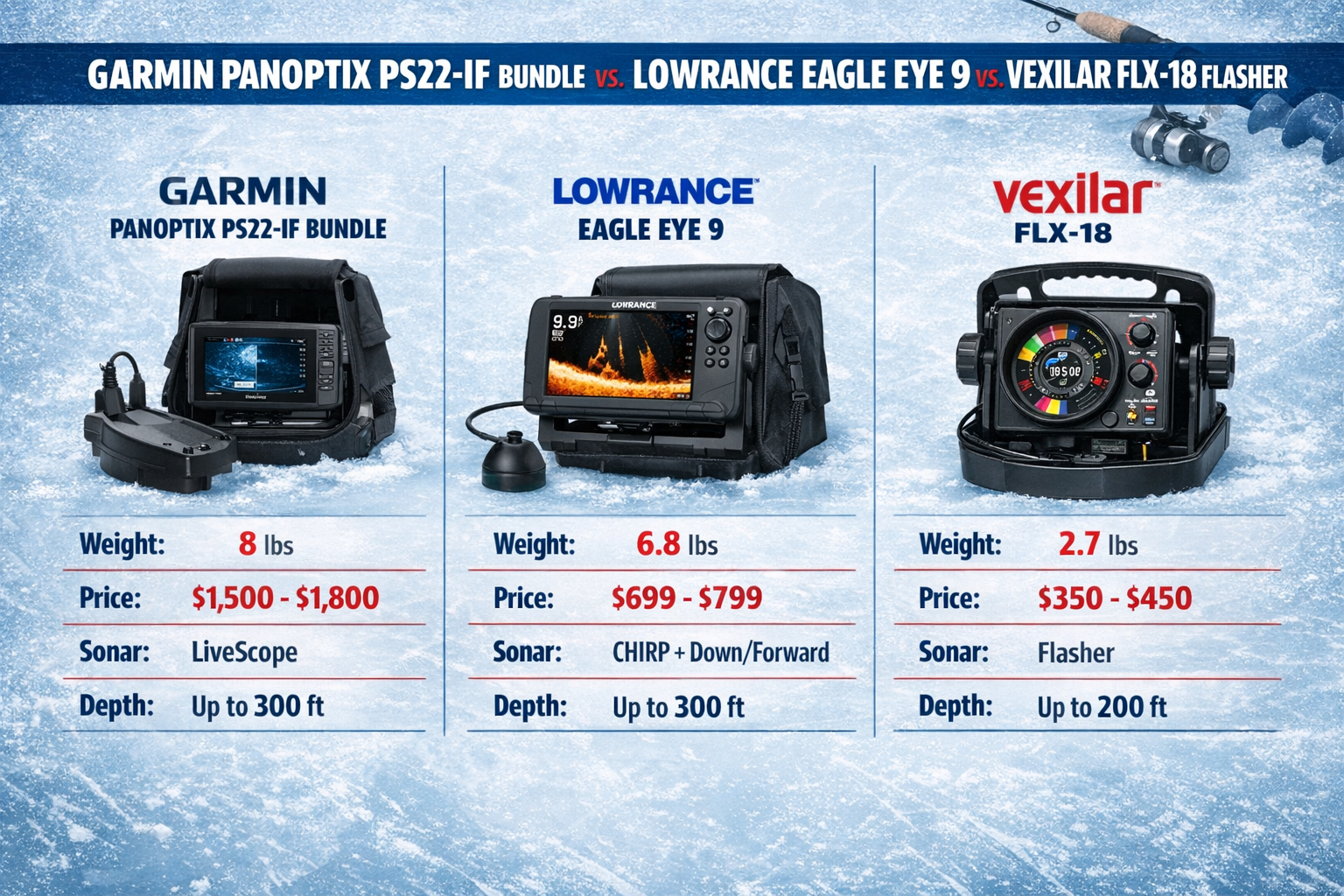
The Garmin ECHOMAP CHIRP 73cv Panoptix Ice Bundle leads on mapping integration and sonar image quality but carries a higher price and more weight than competing systems.
Head-to-head comparison:
| System | Weight | Sonar Type | Mapping | Best For |
|---|---|---|---|---|
| Garmin ECHOMAP CHIRP 73cv + PS22-IF | ~12 lbs 12.5 oz | CHIRP + LiveVu | Garmin LakeVü + Quickdraw | Garmin ecosystem users |
| Lowrance Eagle Eye 9 | ~9 lbs 13 oz | Forward-facing sonar | C-MAP | Budget-conscious buyers |
| Vexilar FLX-18 Flasher | ~4 lbs | Traditional flasher | None | Ultralight hole-hoppers |
| Garmin LiveScope Plus LVS34-IF | Heavier | LiveScope Plus | Garmin LakeVü | Deep water (up to 120 ft tested) |
Choose the ECHOMAP CHIRP 73cv bundle if:
- You already fish with Garmin units on your kayak or boat and want one ecosystem
- You fish lakes with detailed LakeVü mapping coverage
- You prioritize sonar image clarity over pack weight
Choose the Lowrance Eagle Eye 9 if:
- You want a lighter pack for long walks across open ice
- Budget is a primary concern and you do not need Garmin mapping
Choose a Vexilar FLX-18 if:
- You drill 20 or more holes per session and need minimal carry weight
- You fish water under 15 feet where a flasher performs reliably
For a detailed look at how the Vexilar FLX-18 performs in mid-winter conditions, see the Vexilar FLX-18 upgrade and display review.
What Are the Most Common First-Time Setup Mistakes?
First-time users of the Garmin ECHOMAP CHIRP 73cv Panoptix Ice Bundle most often struggle with transducer depth, gain settings, and power management. Fixing these three issues solves 90 percent of poor sonar performance complaints.
Mistake 1: Transducer too high in the hole If the transducer head sits at or above the ice bottom, you get heavy surface clutter. Lower it 2 to 3 inches below the ice bottom.
Mistake 2: Gain set too high New users crank gain up to 10 expecting more detail. The screen fills with noise. Start at 5 and raise slowly until fish appear clearly.
Mistake 3: Wrong view for the depth Using LiveVu Forward in water shallower than 9 feet produces a distorted, noisy image. Use LiveVu Down in shallow water.
Mistake 4: Skipping the firmware update Run the latest firmware before your first session. Firmware version 2026.0204.0 for compatible ECHOMAP models addresses display and mapping performance. Download it via the ActiveCaptain app or an SD card from Garmin’s support page.
Mistake 5: Leaving the transducer arm loose A loose arm lets the transducer rotate during jigging, shifting your sonar view. Tighten the arm lock collar firmly after every deployment.
For anglers pairing this setup with an underwater camera for visual confirmation, the wireless underwater camera setup guide for ice fishing covers compatible camera options and positioning strategies.
How Do You Update Firmware and Maps on the ECHOMAP CHIRP 73cv?
Update firmware using the ActiveCaptain app over Wi-Fi or by downloading the update file to a microSD card from Garmin’s support site. Firmware version 2026.0204.0 is the current release for compatible ECHOMAP models as of February 4, 2026.
Firmware update steps via ActiveCaptain:
- Download the ActiveCaptain app on your phone.
- Power on the ECHOMAP CHIRP 73cv and enable Wi-Fi from the settings menu.
- Connect the app to the unit.
- Select “Software Updates” and follow the prompts.
- Allow 5 to 10 minutes for the update to complete. Do not power off the unit during this process.
Firmware update steps via SD card:
- Visit Garmin’s support page for your unit.
- Download the update file to a blank microSD card (8GB or larger, Class 10).
- Insert the card into the ECHOMAP CHIRP 73cv’s card slot.
- Power on the unit. It will detect the update automatically and prompt you to install.
Map updates: Use the Garmin Express desktop app to update LakeVü maps. Updated maps load onto the same microSD card. Quickdraw Contours data you record on the ice saves automatically to the card.
Frequently Asked Questions
Q: What size ice hole does the PS22-IF transducer require? An 8-inch hole works best. The transducer head fits through a 6-inch hole but the arm clearance is tight and limits rotation for LiveVu Forward adjustments.
Q: Does the ECHOMAP CHIRP 73cv work without a GPS signal under a shelter? Yes. The sonar functions fully without GPS. GPS is only needed for mapping and waypoint marking. The unit records Quickdraw Contours depth data when GPS is active outside the shelter.
Q: What is the maximum depth for LiveVu Forward with the PS22-IF? Garmin rates LiveVu Forward on the PS22-IF to approximately 60 feet of horizontal range in ideal conditions. In practice, 9 to 24 feet of water depth produces the clearest images for ice fishing applications.
Q: Can I use this bundle for open-water kayak fishing after ice season? The PS22-IF transducer is designed for ice deployment. For open-water kayak use, you need a different transducer mount. The ECHOMAP CHIRP 73cv display itself works for kayak fishing with a compatible transom or in-hull transducer. For kayak rigging guidance, see the complete 2026 kayak saltwater fishing rigging guide.
Q: How do I know if fish I see are walleye versus perch? Size and depth position are your best indicators. Walleye hold tight to bottom structure and show as larger, slower-moving arches. Perch school in groups and appear as clusters of smaller targets. Pair this with tip-up setups for walleye confirmation. The tip-up setups for first ice walleye guide covers species-specific tactics.
Q: Is the Garmin LiveScope Plus LVS34-IF a better choice than the PS22-IF? The LiveScope Plus produces clearer images with less noise and handles deeper water up to 120 feet tested. It costs more and weighs more. Choose it if you fish deep lakes regularly. The PS22-IF is the better choice for portability and mid-range depths.
Q: What happens if my transducer freezes in the hole? Pour warm water around the arm collar before pulling. Never force the arm upward. A frozen arm means the water in the hole refroze around the collar. Keeping the transducer submerged during active fishing prevents this.
Q: Does the ECHOMAP CHIRP 73cv support Garmin’s ActiveCaptain community maps? Yes. ActiveCaptain gives you access to community-sourced waypoints and marina data. For ice fishing, the Quickdraw Contours feature is more relevant. It builds your own depth map as you move across the lake.
Q: How do I protect the display from condensation inside a heated shelter? Allow the unit to warm up gradually before powering on in a heated shelter. Condensation forms when a cold unit enters warm air fast. Leave the display face-up and uncovered for 5 minutes before powering on.
Q: What is the warranty on the Garmin ECHOMAP CHIRP 73cv? Garmin covers the unit with a one-year limited warranty. Register the product on Garmin’s website immediately after purchase to activate coverage.
Conclusion
The Garmin ECHOMAP CHIRP 73cv Panoptix Ice Bundle is a capable, tournament-ready system for serious ice anglers who want real-time sonar feedback without drilling unnecessary holes. Set it up correctly on a Clam drill plate, dial your gain to 5 to 7 for 9 to 24 feet of water, and run a 20Ah lithium battery for all-day power. Update your firmware before the first session and keep the transducer 2 to 3 inches below the ice bottom.
Your action steps for the first session:
- Download firmware version 2026.0204.0 via ActiveCaptain before you leave home
- Assemble the RAM arm and drill plate mount the night before
- Charge your 20Ah lithium battery fully and store it at room temperature overnight
- Set LiveVu Forward range to 20 feet and gain to 6 as your starting point
- Watch fish react to your jig and adjust cadence based on what the screen shows
This system rewards anglers who learn to read the sonar, not just watch it. Put in the time on the ice and the results follow.
Kayak. Drill. Catch. Repeat.
See you on the water.
References
[1] Watch – https://www.youtube.com/watch?v=MptWrUrfPQA
[2] Garmin Echomap Plus 73cv Panoptix Ice Fishing Bundle – https://www.glensoutdoors.com/garmin-echomap-plus-73cv-panoptix-ice-fishing-bundle.html
[3] Emea Ice Fishing Assortment Brochure 2025 2026 Nordics Lr – https://static.garmincdn.com/shared/nordic/catalogs/EMEA_Ice_Fishing_Assortment_Brochure_2025_2026-nordics-LR.pdf
[4] Garmin Echomap Uhd 73cv Panoptix Ps22 Ice Fishing Bundle – https://www.wellbots.com/products/garmin-echomap-uhd-73cv-panoptix-ps22-ice-fishing-bundle
[5] Garmin Echomap Chirp 73cv Panoptix Ice Fishing Bundle Chartplotter Fishfinder 310404 – https://www.campingworld.com/garmin-echomap-chirp-73cv-panoptix-ice-fishing-bundle-chartplotter-fishfinder-310404.html
[6] www8.garmin – https://www8.garmin.com/support/ch.jsp?product=010-02341-00